Customer onboarding is more than a checklist; it's the foundation of long-term retention. For SaaS businesses, the first few weeks determine whether a new user becomes a loyal advocate or a churn statistic. A weak start leads directly to low activation rates, feature confusion, and a quick path to cancellation. When customers don't see immediate value, they don't stick around, and your recurring revenue suffers.
This article cuts through the noise. It provides a prioritized, actionable roundup of the 10 best customer onboarding practices that fast-moving SaaS teams can implement today. We’re moving beyond generic advice to give you a strategic playbook for the critical first 30 days of the customer lifecycle. You’ll learn how to transform your onboarding from a simple tutorial into a powerful growth engine that systematically reduces churn.
We will cover everything from automating customer health scores to creating personalized, role-based product tours and measuring the metrics that truly matter. You will get concrete frameworks for:
- Accelerating time-to-value with guided product tours and interactive walkthroughs.
- Segmenting users based on activation risk to provide proactive support.
- Implementing automated messaging triggered by key product milestones.
- Tracking success with clear ROI dashboards focused on activation and engagement.
Each practice is designed to be immediately useful, ensuring your customers achieve their 'aha!' moment faster, integrate your product into their daily workflows, and ultimately, stay with you for the long haul. Let's dive in.
1. Automated Health Scoring & Risk Segmentation
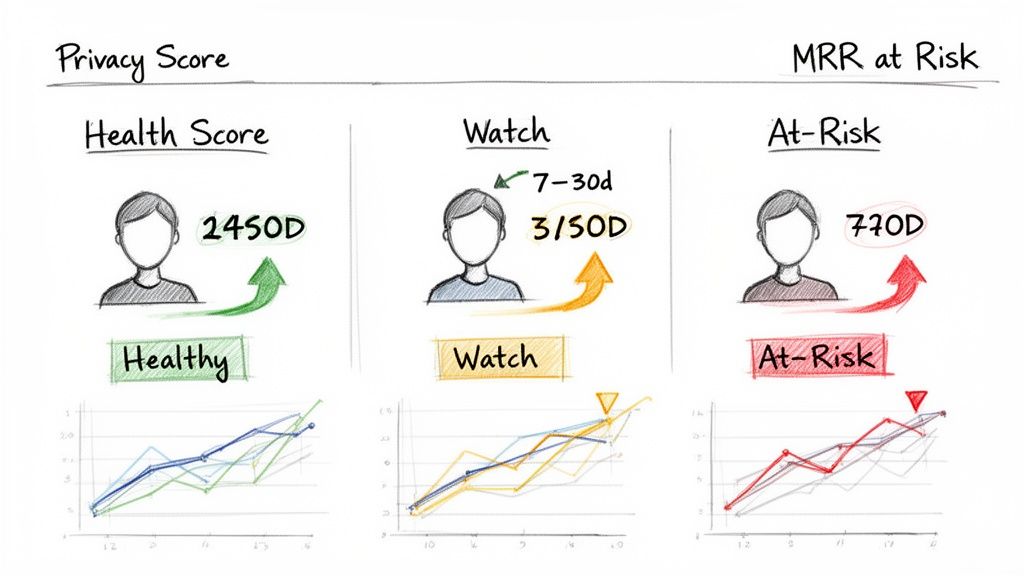
Effective customer onboarding isn't a one-size-fits-all process. Understanding which new customers are thriving and which are struggling is critical for proactive intervention. This is where automated health scoring comes in, providing a dynamic, data-driven way to segment users based on their likelihood to succeed and remain a long-term customer. Instead of waiting for a cancellation email, you can identify at-risk signals early.
This practice involves creating a system that automatically assigns a "health score" to each customer. This score is calculated from behavioral data, product usage patterns, and subscription signals. It gives your team an objective, real-time view of customer well-being, enabling you to prioritize resources and tailor your onboarding strategy for different user segments.
Why It's a Top Onboarding Practice
Automated scoring moves your team from a reactive to a proactive stance. By segmenting customers into categories like 'healthy,' 'at-risk,' or 'needs attention,' you can trigger targeted onboarding flows, personalized support, or educational content precisely when it's needed most. This data-driven approach is a cornerstone of the best customer onboarding practices because it scales your ability to deliver a personalized experience without manual effort.
Platforms like LowChurn and Gainsight have popularized this by demonstrating its direct impact on reducing churn. For example, LowChurn connects directly with Stripe data to generate these scores automatically, flagging accounts with declining usage or payment issues before they become critical.
How to Implement It
- Define Key Signals: Start simple. Identify 2-3 behaviors that strongly correlate with long-term success for your product. This could include login frequency, adoption of a specific "sticky" feature, or the number of support tickets filed in the first 30 days.
- Establish Baselines: Analyze historical data from both churned and retained customers to set your scoring thresholds. What did your most successful customers do in their first week? What did churned customers fail to do?
- Automate & Integrate: Use a tool that can pull in this data automatically and display scores in a central dashboard. Share this information transparently with your customer success, support, and product teams to create a unified view of the customer.
To dive deeper into setting up your own system, you can learn more about creating a powerful customer health score.
2. One-Click Integration & Minimal Setup Friction
The fastest way to lose a new customer's enthusiasm is to present them with a complex, multi-step technical setup process. Minimal setup friction is the principle of getting a user from sign-up to "aha!" moment as quickly as possible by removing technical barriers. This means offering simple, one-click connections to essential data sources, eliminating the need for developer resources or custom coding.
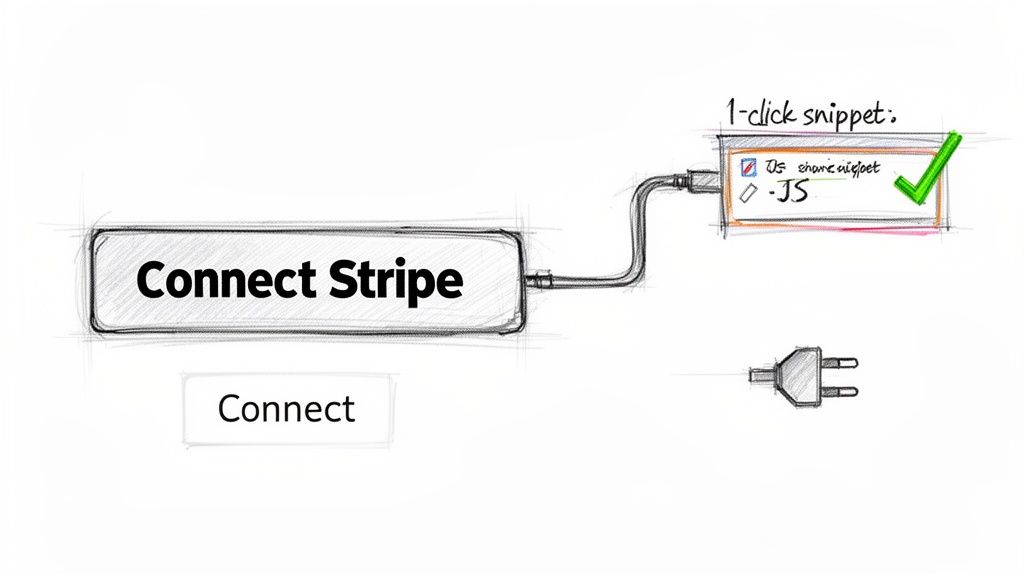
This approach prioritizes immediate time-to-value. Instead of asking customers to read lengthy API documentation, you provide pre-built connectors (like OAuth for social logins or direct integrations for payment processors) that require just a few clicks to activate. For a SaaS business using Stripe, this could be a single authorization that instantly syncs all customer and subscription data, making the onboarding process nearly effortless.
Why It's a Top Onboarding Practice
A frictionless setup directly combats early-stage churn by delivering immediate gratification and demonstrating value from the very first session. When users can connect their data and see the platform work in minutes, their confidence skyrockets. This is a critical element of the best customer onboarding practices because it removes the first major hurdle where non-technical users often drop off.
This model has been popularized by platforms like Zapier, which built its entire business on a marketplace of pre-built connectors. Similarly, LowChurn leverages a one-click Stripe connection combined with a lightweight JavaScript snippet. This allows a SaaS founder to get a complete, real-time view of customer health and churn signals in under a minute, a task that would otherwise require significant developer effort.
How to Implement It
- Prioritize Core Integrations: Identify the single most critical data source for your customers (e.g., Stripe for a revenue analytics tool, Slack for a productivity app) and build a seamless, one-click connector for it.
- Use OAuth Where Possible: For account-based integrations, leverage OAuth 2.0. This is the standard for secure, delegated access and provides users with a familiar, trusted authorization flow.
- Provide Clear Post-Setup Verification: After a successful connection, don't leave the user guessing. Immediately show them that data is flowing with a confirmation message, a green checkmark, or by populating a dashboard with their live data.
- Offer Quick-Start Templates: Once the integration is live, guide the user with pre-configured templates or dashboards that instantly showcase the value they just unlocked. This reinforces their decision and accelerates product adoption.
3. Guided Product Tours & Interactive Onboarding
Showing a user how to succeed is far more effective than just telling them. Guided product tours and interactive walkthroughs are designed to do just that, teaching users how to accomplish key tasks directly within your application. This hands-on approach reduces cognitive load and helps new customers achieve their first "Aha!" moment faster by guiding them step-by-step through a valuable action.
Instead of leaving users to explore a new interface on their own, this practice uses tooltips, hotspots, and modals to create a structured learning path. It transforms a potentially overwhelming first login into a rewarding, educational experience. This method directly addresses user uncertainty and accelerates their journey to realizing the product's core value.
Why It's a Top Onboarding Practice
Interactive tours are a cornerstone of the best customer onboarding practices because they create contextual learning experiences. By demonstrating value in real-time, you increase the likelihood of feature adoption and long-term engagement. This proactive guidance prevents initial user friction and significantly shortens the time-to-value, a critical factor in retaining new customers.
Companies like Notion and Calendly have perfected this. Notion uses in-app tutorials to guide users through template setup, while Calendly employs a streamlined setup wizard to ensure users can schedule their first meeting in minutes. These guided flows are proven to boost activation rates and user confidence from the very first session.
How to Implement It
- Keep Tours Short & Focused: Aim for 3-5 steps maximum per tour. Focus on a single, high-value outcome, like creating the first project or inviting a team member. Long, comprehensive tours often lead to user fatigue and abandonment.
- Allow Users to Opt-Out: Never force a user to complete a tour. Always provide a clear "skip" or "exit" option. Forcing engagement can create a negative first impression. Also, include a "replay tour" option in your help menu.
- Segment by User Role: Customize tours based on the user's role or goal. A founder's first key action will likely differ from that of a customer success manager. Personalized guidance is more relevant and effective.
- Track Engagement: Monitor which tour steps are completed, skipped, or cause users to drop off. This data provides valuable insights into where your onboarding flow may be confusing or failing. To ensure users effectively engage with your product, it's helpful to learn how to boost product adoption with interactive step-by-step guides.
4. Email-Based Onboarding Sequences & Milestone Triggers
Your in-app guidance is powerful, but what happens when a user logs off? Email-based onboarding sequences extend the conversation, delivering timely, relevant guidance directly to your customer's inbox. This practice involves using trigger-based emails that are sent automatically when a user completes a specific action or reaches a key milestone, reinforcing value and encouraging the next step.
Instead of generic welcome drips, this strategy ensures that every email is a response to a user's progress. By tying messages to their actual journey, you deliver guidance at moments of maximum receptiveness, re-engaging them asynchronously and keeping your product top-of-mind. This makes your communication feel like a personalized concierge service, not a marketing blast.
Why It's a Top Onboarding Practice
Trigger-based emails are a critical component of the best customer onboarding practices because they create a cohesive, multi-channel experience. They reinforce the progress users make in-app and provide a gentle nudge when they get stuck. This approach is highly effective for celebrating small wins, offering contextual tips, and bringing users back to the product to discover more value.
For instance, Slack's famous onboarding sequence celebrates a user's first message and encourages them to set up a team, while Calendly sends tips on optimizing booking pages after a user gets their first meeting scheduled. These touchpoints make the user feel seen and supported throughout their initial journey.
How to Implement It
- Map Key Milestones: Identify the critical "Aha!" moments and activation steps in your product. Examples include creating the first project, inviting a team member, or successfully integrating with another tool.
- Craft Contextual Content: For each milestone, create a short, scannable email. Keep one key message per email, include a clear call-to-action, and use direct links that take the user exactly where they need to go in your app.
- Automate the Triggers: Use a marketing automation platform to set up the triggers. To successfully implement dynamic email-based onboarding sequences and trigger milestones, a solid grasp of workflow automation is essential. A/B test subject lines and send times to optimize engagement.
- Show Progress: Visually represent the user's journey. A simple progress bar in the email (e.g., 'Step 2 of 5 complete') can powerfully motivate users to continue with their setup.
5. Best-Practice Campaign Templates & Pre-Built Playbooks
Reinventing the wheel for every customer interaction is inefficient and prone to errors. Instead of starting from scratch, the most effective onboarding programs leverage pre-built templates and playbooks. This approach provides a proven, structured framework for communicating with new users, addressing common churn signals, and guiding them toward success milestones without manual effort.
These are not just simple email templates; they are comprehensive, multi-step campaigns designed to tackle specific scenarios, like failed payments, low feature adoption, or disengagement. By using pre-configured workflows, your team can deploy sophisticated, best-practice retention strategies with a single click, ensuring a consistent and high-quality experience for every customer.
Why It's a Top Onboarding Practice
Using pre-built playbooks dramatically accelerates time-to-value for your customer success team and your customers. It democratizes retention expertise, allowing even small teams to execute campaigns that have been tested and refined across thousands of scenarios. This is a core component of the best customer onboarding practices because it combines speed with strategic precision, eliminating guesswork from critical customer communication.
Platforms like LowChurn and Klaviyo champion this approach. LowChurn, for instance, offers one-click campaigns that are pre-configured to handle common Stripe-related issues like dunning and failed payments. Similarly, HubSpot's workflow library allows users to implement complex marketing and sales sequences without needing to build them from the ground up.
How to Implement It
- Identify Common Scenarios: Analyze your customer journey and pinpoint the most frequent friction points or churn signals. Common examples include incomplete setup, trial expiration, or a sudden drop in usage.
- Build Foundational Playbooks: Create a core set of campaigns for these scenarios. Include templates for welcome series, feature adoption nudges, and at-risk interventions. Explain the strategy behind each message within the template notes.
- Enable One-Click Activation: Use a tool that allows your team to launch these playbooks instantly but requires a final preview. This balances automation with human oversight, preventing accidental sends while maintaining efficiency. LowChurn excels here by connecting playbooks directly to churn signals from your payment data.
- Gather Feedback & Iterate: Monitor which templates are used most often and which ones generate the best results. Use this data to refine existing playbooks and develop new ones based on emerging customer needs.
6. Success Metrics & ROI Dashboard During Onboarding
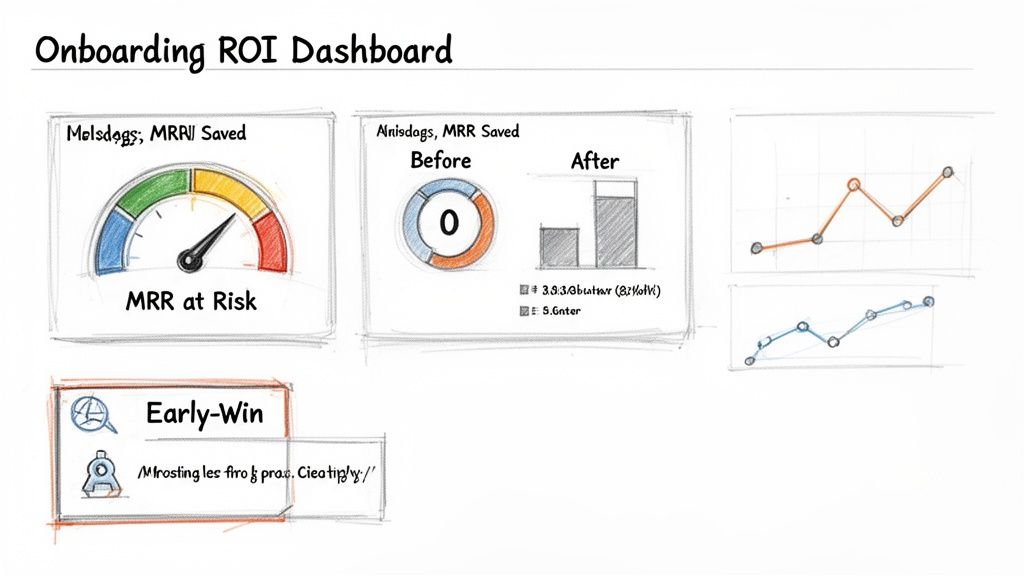
New customers need to see the value of your product quickly to stay engaged and justify their investment. An ROI dashboard, presented early in the onboarding process, makes this value tangible by translating their initial actions into clear business outcomes. This practice involves creating a dedicated space that surfaces key success metrics, highlighting the return on investment from day one. Instead of hoping users connect the dots, you show them the proof.
This dashboard surfaces metrics like MRR saved, churn prevented, or at-risk customers recovered. It provides a real-time, transparent view of the positive impact your product is having on their business, which is a powerful tool for solidifying the relationship and building momentum during the critical first few weeks.
Why It's a Top Onboarding Practice
An ROI dashboard immediately answers the new customer's most important question: "Is this working?" By showcasing early wins and quantifiable progress, you build trust and demonstrate value before the first invoice is even due. This data-driven validation is a cornerstone of the best customer onboarding practices because it transforms your product from a 'cost' into an indispensable 'investment' in the customer's mind.
Platforms like LowChurn and Stripe excel at this by linking user activity directly to financial outcomes. LowChurn's dashboard, for example, doesn't just show health scores; it quantifies the 'MRR at Risk' and highlights the revenue saved from automated retention campaigns, providing clear, undeniable proof of its value.
How to Implement It
- Focus on Primary Metrics: Don't overwhelm users. Center your dashboard around one or two core ROI metrics that matter most, such as 'MRR Saved' or 'At-Risk Customers Recovered'.
- Showcase Early Wins: Configure the dashboard to highlight the very first positive outcomes. For instance, display a notification saying, "You just prevented your first churn event, saving $150 in MRR!"
- Provide Context & Baselines: If possible, compare current performance against a historical baseline (e.g., "Your average churn was X% before using our tool"). This frames the value more powerfully. Use weekly digest emails during the first month to push these key metrics and insights directly to the user.
To get a better understanding of what to track, you can explore more on how to measure customer engagement.
7. Role-Based Onboarding Personalization
A founder, a finance lead, and a customer success manager all sign up for your product, but they have drastically different goals. A generic, one-size-fits-all welcome tour will inevitably fail to engage at least two of them. Role-based onboarding personalization tailors the first-run experience to a user's specific job function, ensuring they immediately see the value relevant to their responsibilities.
This practice involves asking users for their role early in the signup process and then dynamically adjusting the onboarding flow. This means showing them the most relevant features, using familiar terminology, and presenting use cases that directly address their professional pain points. It transforms onboarding from a product-centric tour into a user-centric solution.
Why It's a Top Onboarding Practice
Personalizing by role is one of the best customer onboarding practices because it dramatically accelerates the user's time-to-value. Instead of making a product manager click through billing settings or a founder navigate support ticket integrations, you guide each user directly to the "aha!" moment that solves their specific problem. This targeted approach boosts initial engagement and activation rates.
Companies like HubSpot and Salesforce have mastered this. HubSpot asks for your role to customize its CRM setup, guiding marketers to lead-capture forms while showing sales leaders pipeline views. This ensures each user feels the platform was built specifically for them, which is a powerful driver of long-term adoption and advocacy.
How to Implement It
- Ask Early and Simply: Add a simple question to your signup flow, like "What is your primary role?" or "What best describes your job function?". Keep the options limited to your core user personas.
- Map Roles to Key Features: For each role, identify the 2-3 features that deliver the most immediate value. A founder might be guided to an MRR dashboard, while a support agent is shown the helpdesk integration first.
- Customize In-App Guidance: Use tooltips, checklists, and product tours that are triggered based on the user's declared role. Use terminology they understand; for example, talk about "reducing churn" with a CS manager and "tracking LTV" with a founder.
- Allow for Change: Provide an easy way for users to change their role in their account settings. A user's responsibilities can evolve, and their onboarding experience should be able to adapt with them.
8. Progressive Feature Unlock & Gamified Onboarding Milestones
Overwhelming a new user with every feature your product offers is a fast track to confusion and churn. Instead of a feature dump, the best customer onboarding practices guide users through a structured journey. Progressive feature unlocking and gamification turn this journey into an engaging, rewarding experience that reduces cognitive load and maintains momentum.
This practice involves structuring the onboarding process as a series of small, achievable milestones. As users complete these key tasks, they "unlock" more advanced features, often celebrated with gamified elements like progress bars, badges, or virtual rewards. This transforms learning from a chore into a motivating game, encouraging deeper product adoption one step at a time.
Why It's a Top Onboarding Practice
This approach systematically tackles the problem of user overwhelm by simplifying the initial experience. It focuses the user's attention on the core actions that deliver immediate value, building confidence and competence progressively. By breaking down a complex product into manageable steps, you create a clear path to success that feels achievable.
This method is famously used by platforms like Duolingo, which gamifies language learning with streaks and level-ups, and Slack, which guides users from basic channels to more advanced integrations. It works because it taps into psychological principles of motivation and reward, making users feel a sense of accomplishment and encouraging them to explore further.
How to Implement It
- Define Core Milestones: Map out the 5-7 "aha!" moments a new user must experience. This could be creating a first project, inviting a team member, or connecting an integration.
- Structure the Flow: Design your UI to reveal features sequentially as users complete these milestones. Start with the absolute essentials and introduce complexity only when the user is ready.
- Gamify and Celebrate: Use visual cues like checklists, progress bars, or even a simple "confetti" animation to celebrate each achievement. Send automated milestone celebration emails to reinforce their progress.
- Offer a Skip Option: Always allow power users who don't need the guidance to skip ahead to an "advanced mode" to avoid frustrating them with a slow-paced tutorial.
9. Dedicated Onboarding Support & Success Handoff Process
For high-value customers, a self-serve onboarding flow isn't enough. These accounts require a hands-on, personalized approach to ensure they see value quickly and set a foundation for long-term success. A dedicated onboarding specialist or a structured handoff from Sales to Customer Success is the solution, providing a guided, white-glove experience during the critical first few weeks. This practice transforms onboarding from a reactive process into a proactive partnership.
This high-touch model involves assigning a specific point of contact to guide the customer through implementation, setup, and initial use. It ensures that the context and promises made during the sales process are seamlessly transferred to the team responsible for delivering on that value. It's about accountability, clear communication, and making the customer feel supported from day one.
Why It's a Top Onboarding Practice
A dedicated handoff process is one of the best customer onboarding practices because it minimizes friction and builds immediate trust. High-value customers have complex needs and high expectations; leaving them to figure things out alone is a direct path to churn. By providing a human guide, you can address their specific goals, overcome technical hurdles, and ensure they adopt the features most relevant to their business needs.
This approach is famously used by enterprise SaaS leaders like Salesforce and HubSpot. When a large company signs up, they are immediately assigned an implementation consultant or onboarding specialist who manages the entire setup, from data migration to team training. This structured process is a key reason for their high enterprise retention rates.
How to Implement It
- Tier Your Support: Not every customer needs 1:1 support. Segment your onboarding based on customer value. Reserve dedicated specialists for high-ACV accounts, while offering group webinars or enhanced self-serve resources for smaller customers.
- Standardize the Handoff: Create a formal handoff checklist or document that Sales completes and shares with the Customer Success team. It should include the customer's primary goals, key stakeholders, technical requirements, and any specific promises made.
- Schedule Key Touchpoints: A structured timeline is crucial. Schedule a kickoff call within 48 hours of closing the deal, a mid-way check-in after one week to review progress, and a final onboarding review at the 3-4 week mark to officially hand them off to their long-term Customer Success Manager.
10. Knowledge Base, Self-Service Resource Library & Post-Onboarding Engagement
A robust onboarding flow guides users through initial setup, but what happens when they have questions later? A comprehensive, self-service resource library empowers customers to find answers on their own terms, 24/7. This practice involves creating a centralized hub of articles, video tutorials, and FAQs that users can access whenever they encounter a challenge or want to explore advanced functionality. It transforms onboarding from a finite event into a continuous learning experience.
This approach not only reduces the burden on your support team but also caters to the modern user's preference for self-sufficiency. By combining a rich knowledge base with automated post-onboarding engagement, you can support long-term adoption, re-engage users who stall, and proactively drive expansion by introducing them to new features over time.
Why It's a Top Onboarding Practice
A self-service library is a foundational element of the best customer onboarding practices because it scales customer education and support. It ensures that help is always available, even outside of your team's business hours. This immediate access to information builds user confidence and prevents the frustration that leads to churn. By tracking which resources are used, you gain valuable insights into common pain points and areas where your product or in-app guidance could be clearer.
Companies like Stripe and Notion have set the standard here. Stripe's developer documentation is so thorough that it's become a gold standard, while Notion's help center uses templates and video tutorials to help users master a highly flexible product. This investment in self-service directly supports user activation and long-term retention.
How to Implement It
- Organize by User Journey: Structure your knowledge base around tasks and goals (e.g., "How to launch your first campaign") rather than just listing product features. This makes it more intuitive for new users to find what they need.
- Create Bite-Sized Content: Develop short video tutorials (under 3 minutes) for complex processes and use screenshots or GIFs in written articles for step-by-step guidance. Analyze support tickets to create a search-optimized FAQ section that answers the exact questions customers are asking.
- Automate Post-Onboarding Education: Once a user completes their initial onboarding milestones, trigger an automated email or in-app campaign sequence that introduces advanced features. This "learning path" keeps them engaged and helps them get more value from your product over the next 4-8 weeks.
For a deeper look at building an effective resource hub, explore how to create a powerful customer self-service portal.
Top 10 Customer Onboarding Practices Comparison
| Item | Complexity 🔄 | Resource Requirements ⚡ | Expected Outcomes ⭐📊 | Ideal Use Cases 💡 | Key Advantages 📊 |
|---|---|---|---|---|---|
| Automated Health Scoring & Risk Segmentation | High 🔄 — model training, data pipelines | Medium–High ⚡ — historical data, ML ops, analytics | High ⭐⭐ 📊 — predictive churn detection, prioritized at-risk list | SaaS with sufficient usage history (Stripe-connected) | Proactive retention, resource prioritization |
| One-Click Integration & Minimal Setup Friction | Low 🔄 — pre-built connectors, OAuth | Low ⚡ — simple JS/snippet, OAuth setup | Medium ⭐ 📊 — rapid TTV and immediate activation | Bootstrapped founders, SMBs, non-technical teams | Fast adoption, minimal engineering lift |
| Guided Product Tours & Interactive Onboarding | Medium 🔄 — UX flows, in-app tooling | Medium ⚡ — content, UX design, maintenance | Medium–High ⭐ 📊 — higher feature adoption, lower support | Feature-rich dashboards and complex UIs | Contextual learning, measurable completion |
| Email-Based Onboarding Sequences & Milestone Triggers | Low–Medium 🔄 — automation rules, triggers | Low ⚡ — copywriting, email automation tools | Medium ⭐ 📊 — asynchronous engagement, re‑engagement nudges | Distributed teams, time-zone differences | Scalable nudges, cost-effective re‑engagement |
| Best-Practice Campaign Templates & Pre-Built Playbooks | Low 🔄 — template library and workflows | Low–Medium ⚡ — copy templates, testing | Medium–High ⭐ 📊 — faster campaign launches, predictable impact | Non-marketers, quick retention experiments | Launch-ready messaging, reduces guesswork |
| Success Metrics & ROI Dashboard During Onboarding | Medium 🔄 — metrics selection, visualizations | Medium–High ⚡ — data integration, analytics work | High ⭐⭐ 📊 — demonstrates ROI, justifies spend | Stakeholder buy-in, proving early value | Quantifies impact, accelerates decision-making |
| Role-Based Onboarding Personalization | Medium 🔄 — role detection & content variants | Medium ⚡ — content production per role | Medium–High ⭐ 📊 — higher completion and relevance | Multi-stakeholder orgs (founder, CS, finance) | Relevant guidance, faster role-specific TTV |
| Progressive Feature Unlock & Gamified Onboarding Milestones | Medium 🔄 — milestone design, gating logic | Medium ⚡ — UX, rewards, content | Medium ⭐ 📊 — increased engagement, reduced overload | New users needing staged learning | Increased momentum, higher task completion |
| Dedicated Onboarding Support & Success Handoff Process | High 🔄 — coordination, handoffs, scheduling | High ⚡ — CSMs, specialists, time investment | High ⭐⭐ 📊 — strong retention for high-value accounts | Enterprise / high-ACV customers | Human touch, issue resolution, higher completion |
| Knowledge Base, Self-Service Library & Post-Onboarding Engagement | Medium 🔄 — content strategy, search UX | High ⚡ — continuous content creation, maintenance | Medium–High ⭐ 📊 — scalable support, reduced tickets | Developer-heavy products; high-volume user bases | 24/7 self-service, scalable education and re-engagement |
From Onboarding to Advocacy: Your Next Steps
We’ve explored a comprehensive framework of the best customer onboarding practices, moving from foundational strategies like one-click integrations to advanced tactics such as role-based personalization and automated health scoring. The journey from a new signup to a loyal, engaged advocate is not a happy accident; it’s a meticulously designed experience. The core lesson is clear: onboarding isn't a checklist to be completed, but the first and most critical phase in the entire customer lifecycle. It sets the tone for the relationship, dictates the perception of value, and directly impacts long-term retention.
Ignoring this crucial period is like building a skyscraper on a weak foundation. It might stand for a while, but it's destined to falter under pressure. By prioritizing a swift, intuitive, and value-driven onboarding flow, you are not just teaching a user how to use your product; you are validating their decision to choose you. This initial success builds momentum that carries through their entire journey, transforming early friction into lasting loyalty.
Key Takeaways and Immediate Actions
To truly master your onboarding process, focus on these central themes we've discussed. They represent the shift from a passive, one-size-fits-all approach to a proactive, personalized, and data-informed strategy.
- Speed to Value is Everything: The single most important goal is to get users to their "Aha!" moment as quickly as possible. This means eliminating setup friction, guiding them directly to core features with interactive tours, and celebrating their first key activation milestones.
- Proactive, Not Reactive: Don't wait for a customer to get stuck or signal churn risk. Use automated health scoring and predictive analytics to segment users from day one. Engage at-risk accounts with targeted, pre-built playbooks before they ever think about leaving.
- Personalization Drives Engagement: A generic experience feels impersonal and irrelevant. Tailor the onboarding journey based on user roles, company size, or stated goals. Use progressive feature reveals and gamified milestones to create a customized path that matches their specific needs and sophistication.
- Measure What Matters: You cannot improve what you do not measure. Track key onboarding metrics like time-to-value, activation rate, and feature adoption. Use a dedicated dashboard to visualize progress and prove the direct ROI of your onboarding efforts on customer retention and lifetime value.
Your Path Forward: From Theory to Implementation
Embarking on this journey doesn't require a complete overhaul overnight. The most effective approach is iterative. Start by identifying the single biggest drop-off point in your current onboarding flow. Is it during initial setup? After the first login? When they are asked to invite a team member?
Once you've isolated the primary point of friction, apply one of the practices from this guide. Perhaps you can implement a one-click campaign template to re-engage users who stall. Or maybe a simple, guided product tour focused on that specific feature is the answer. Launch the change, measure the impact on your activation rate, and then move to the next bottleneck. This continuous loop of identifying, implementing, and iterating is the secret to building a world-class onboarding machine. By adopting these best customer onboarding practices, you're not just reducing churn; you're building a scalable engine for sustainable growth, powered by customers who are not only retained but become your most powerful advocates.
Ready to transform your onboarding from a cost center into a revenue driver? LowChurn provides the predictive health scores and one-click retention campaigns you need to implement these best practices today, directly on top of your Stripe data. Stop guessing what your new customers need and start delivering a world-class experience by visiting LowChurn.