A customer self-service portal is your customer's dedicated command center. It's a secure, online space where they can manage their account, solve problems, and find answers 24/7, all on their own terms.
Forget static FAQ pages. Think of it as an interactive co-pilot for your product, giving users the power to instantly handle tasks like updating a credit card, downloading an invoice, or switching their subscription plan—without ever needing to send an email or wait for a reply.
Why Your SaaS Needs a Customer Self Service Portal
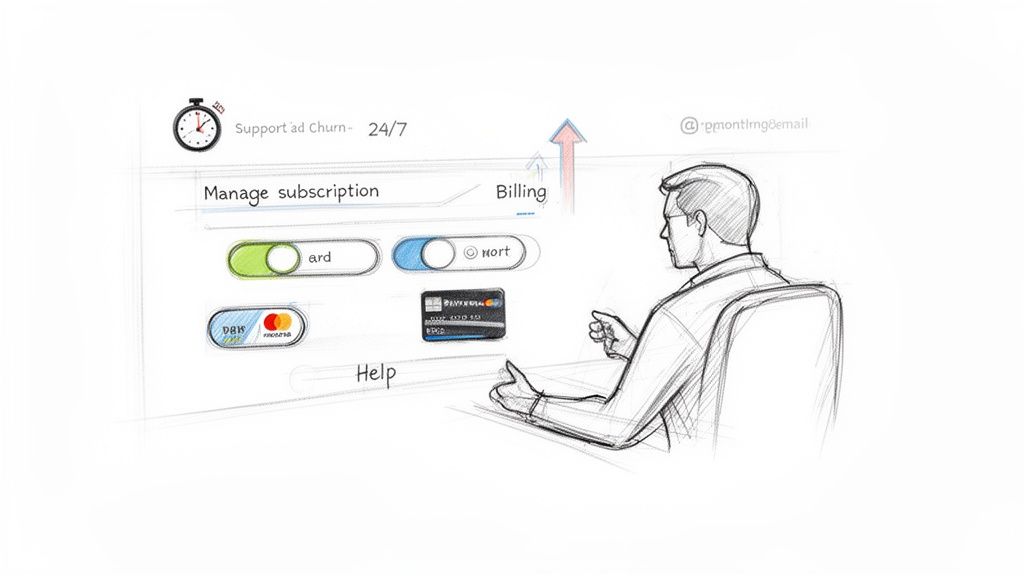
In today's subscription-based world, expectations have changed. Customers don't just want instant access and control; they expect it as a fundamental part of the service. A self-service portal meets that expectation head-on, shifting your customer experience from reactive problem-solving to proactive empowerment.
This isn't just about keeping customers happy. It's a smart, defensive strategy for your revenue. Imagine a customer’s credit card expires. If their only option is to file a support ticket, you've just introduced friction and a prime opportunity for them to churn. A portal turns that potential crisis into a one-minute fix they can handle themselves.
The Business Case for Empowering Customers
The real value of a self-service portal goes way beyond simple convenience. It creates a ripple effect that touches everything from your support queue to your bottom line. It helps to first understand what a client portal is and how it works, as the core concept is identical.
For any SaaS company, particularly those built on a platform like Stripe, the logic is simple and powerful.
Let's break down exactly how a well-implemented portal drives tangible business results.
Core Business Value of a Self Service Portal
| Business Area | Impact of Self Service Portal | Key Metric Improved |
|---|---|---|
| Support Operations | Deflects common, repetitive tickets like billing queries and account updates. | First Contact Resolution Rate, Ticket Volume |
| Financial Health | Reduces the operational cost of a human-led support team for simple tasks. | Customer Support Costs, Operating Margin |
| Customer Success | Creates a frictionless experience, preventing churn from simple issues. | Customer Retention Rate, Customer Lifetime Value (CLV) |
Ultimately, every interaction a customer handles on their own is a win. It saves your team time, reduces your costs, and gives the customer a sense of control that builds lasting loyalty.
Slash Your Support Load: Repetitive questions like "Can you send my invoice?" or "How do I update my card?" simply disappear from your support queue. This frees your expert team to tackle the tough, high-value problems where they can truly make a difference.
Drive Down Operational Costs: Fewer support tickets directly translates to lower overhead. Every issue resolved through the portal is a direct cost saving on support agent time, tools, and resources.
Boost Customer Retention: By empowering users, you remove frustration and create a smoother, more professional experience. This is a critical component of modern loyalty and directly impacts your churn rate. Digging into https://www.lowchurn.com/blog/customer-retention-best-practices shows just how essential self-service has become.
The global customer self-service software market was valued at USD 18.07 billion in 2024 and is projected to skyrocket to USD 57.21 billion by 2030. This explosive growth isn't a trend; it's a fundamental shift in how businesses operate. Discover more insights about customer portal adoption.
Designing a Portal That Customers Actually Use
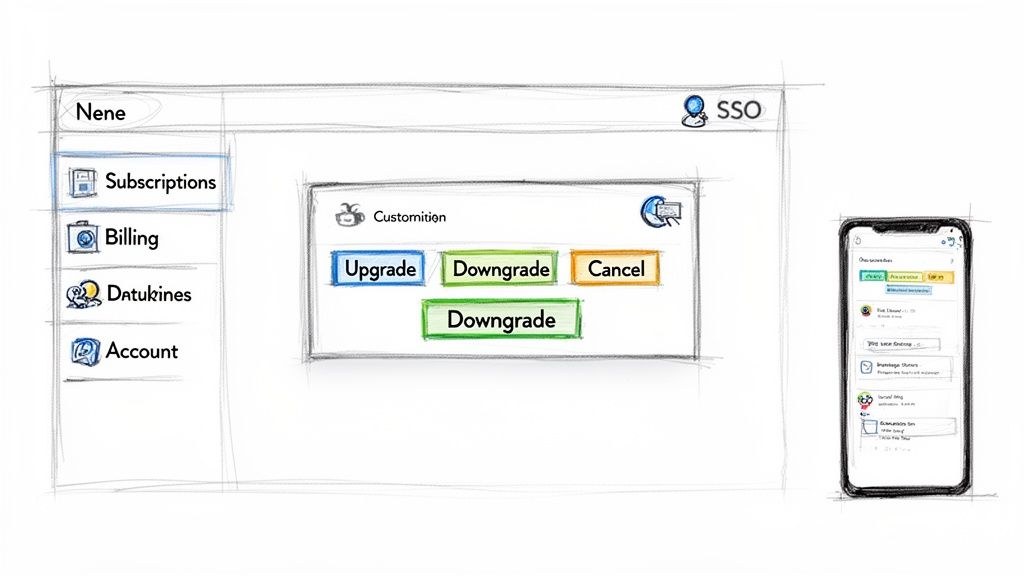
A great customer self-service portal isn't just a jumble of links and forms. Think of it less like a forgotten utility closet and more like a clean, well-lit dashboard for a customer's entire relationship with your company. The mission is simple: make it so intuitive and fast that contacting support feels like the slow, inconvenient option.
The data backs this up. A staggering 90% of customers will try to find an answer themselves before ever thinking about sending an email or picking up the phone. If your portal is clunky or incomplete, you're not just creating a frustrating experience—you're fumbling the single biggest chance you have to deflect support tickets and empower your users. This is where smart design turns a simple tool into a powerful asset for keeping customers happy.
Core Features That Drive Adoption and Fight Churn
To build a portal that people actually want to use, you have to obsess over solving their most common and urgent problems. These aren't fancy extras; they are the absolute non-negotiables for any SaaS business that relies on subscriptions. Every single feature should directly answer a question that would otherwise clog your support queue.
Here are the must-haves for any high-value customer portal:
Effortless Subscription Management: This is the heart of the whole operation. Customers need to be able to upgrade, downgrade, or even pause their subscription in just a few clicks. Forcing someone to contact support to downgrade is practically begging them to churn. Giving them a simple, automated path keeps a customer you might have lost for good.
Frictionless Payment Method Updates: Expired credit cards are one of the biggest silent killers of SaaS revenue, causing involuntary churn that nobody wanted. Your portal is the first line of defense. Let users update their billing info instantly, and make that option impossible to miss.
Instant Access to Billing History: "Can you resend last month's invoice?" This question should never, ever land in your support inbox. A clean, chronological list of every payment and invoice—with one-click PDF downloads—builds trust and gives customers the transparency they expect.
The User Experience That Makes It Feel Seamless
Beyond just having the right features, the user experience (UX) is what separates a helpful tool from a clunky afterthought. A great UX isn't about slick animations; it’s about ruthlessly eliminating every single point of friction between your customer and their goal.
A seamless experience really comes down to three key things:
Intuitive Navigation: People shouldn't have to hunt for what they need. Use dead-simple labels like "Billing," "My Subscription," and "Account." The layout should be logical, with the most common actions—like updating a credit card—placed right where people expect to find them.
Fully Responsive Design: Your customers run their lives from their phones, and that includes managing their software subscriptions. The portal must look and work perfectly on every device, from a huge desktop monitor to the smallest smartphone screen. A broken mobile experience is the same as telling a huge chunk of your user base that self-service isn't for them.
Single Sign-On (SSO): Whatever you do, don't make your customers create and remember a separate password just for your billing portal. It's a massive, unnecessary roadblock. With SSO, they can log in using the same credentials they already use for your main app, making the whole thing feel like one unified product.
The ultimate goal of portal design is resolution, not deflection. The experience should empower customers to solve their problems completely on their own, making them feel capable and in control, which is a cornerstone of long-term loyalty.
Getting the portal design right is a huge win, but it’s even more powerful when it connects to the entire user journey. A fantastic portal perfectly complements a smooth initial onboarding process. By tying these experiences together, you build a supportive environment that starts from day one. You can learn more in our guide to improving customer onboarding for SaaS.
Connecting Your Portal to Stripe and Your Tech Stack
A standalone customer portal is helpful, but an integrated one is a revenue-saving machine. This is the leap from a simple FAQ page to the intelligent, central hub of your entire customer operation. When you connect your portal to your key systems, you create a seamless flow of data that helps your customers and empowers your team.
Think of it this way: your portal is the customer-facing dashboard, but your tech stack is the engine room. For that dashboard to show anything useful—real-time, accurate information—it needs to be wired directly into the engine. For any SaaS business, the most critical connection is with its payment processor, which for many of us, is Stripe.
The Stripe Integration: Your Single Source of Billing Truth
At its core, your portal's main job is to handle questions about subscriptions and billing. Stripe holds all the answers. A direct, secure integration lets your portal pull crucial customer data in real time, turning a static page into a trustworthy command center where customers can actually get things done.
This connection isn't just about displaying information; it's about enabling action. Here’s what a solid Stripe integration really powers:
- Live Subscription Data: The portal can show the customer's current plan, their monthly recurring revenue (MRR), and the next renewal date, pulled straight from Stripe. No more confusion or discrepancies.
- Dynamic Plan Management: A customer clicks "Upgrade Plan," and the portal talks to Stripe to make it happen instantly. The new pricing is reflected, billing is prorated automatically, and not a single support ticket was filed.
- Secure Payment Method Updates: Instead of handling (and storing) sensitive credit card details yourself, the portal uses Stripe’s secure elements. Customers update their payment info, and the data goes directly to Stripe, keeping you PCI compliant and secure.
- Invoice and Billing History: The portal can grab a complete history of a customer's invoices and payment receipts from Stripe, making them available for one-click download.
For anyone new to setting these systems up, it's worth getting familiar with how these payment platforms operate. Guides on the Stripe signup process can offer a good foundation for understanding how these connections are first established.
Beyond Billing: Turning Portal Actions into Churn Signals
The Stripe connection is absolutely fundamental, but the real magic begins when you sync your portal with your product analytics and customer success platforms. This creates a powerful feedback loop where what a customer does inside the portal becomes a source of valuable, actionable intelligence. Every click tells a story about that customer's health and what they might do next.
Imagine a user logs into your portal and hovers over the "Cancel Subscription" button for 30 seconds but doesn't actually click. In a disconnected system, that moment is lost forever. It never happened.
In an integrated ecosystem, that hesitation is a critical churn signal. It can instantly trigger an alert to your customer success team, create a task in your CRM, and maybe even enroll the user in a targeted email campaign offering help or an incentive to stay.
This turns your passive portal into an active, early-warning system. The data flow isn't just one-way; it creates a complete picture of the customer journey.
- Portal to Analytics: User actions—like frequent invoice downloads or repeated visits to the cancellation page—get piped into your analytics tool (think Mixpanel or Amplitude). This data helps you spot behavioral patterns among at-risk users.
- Analytics to Customer Success: When your analytics tool detects an at-risk pattern, it can automatically update a customer's health score in a platform like LowChurn. This instantly flags the account for proactive outreach from your team.
This unified data stream is how you move from reactive support to proactive retention. By analyzing these behaviors, you build a much clearer picture of which customers are likely to leave. You can go even deeper on this by exploring how to build a churn prediction model that relies on these very signals.
Ultimately, connecting your portal to your full tech stack transforms it from a simple convenience into a core part of your growth and retention strategy.
How to Measure the ROI of Your Self Service Portal
A customer self-service portal is far more than a "nice-to-have" feature; it's a strategic investment that pays for itself. But to really understand its value and make smart decisions about where to improve it, you have to look past surface-level stats like page views. The real story is in the numbers that tie directly back to your bottom line.
Think of your portal as your first line of defense. It automates the simple, repetitive tasks that can bog down your support team, freeing them up to tackle the tricky problems that require a human touch. Every time a customer downloads their own invoice or updates a credit card, that's a direct, measurable saving in time and operational costs.
Tracking Cost Savings and Efficiency Gains
The most straightforward way to see the portal's return is by looking at how much it lightens the load on your support team. First, you need a baseline: what's the average cost of a single support ticket? Industry benchmarks often put the cost of a live agent interaction somewhere between $10 and $20, once you factor in salary, software, and overhead.
With that number in hand, your north star metric becomes Ticket Deflection Rate. This tells you what percentage of customer problems are being solved by the portal before they ever land in your support inbox.
To figure it out, you just need to track two things:
- Self-Service Resolutions: The total number of successful tasks completed in the portal (like subscription changes, payment updates, or invoice downloads).
- Total Support Issues: This is the sum of your self-service resolutions plus all the support tickets created in the same timeframe.
The formula is simple: (Self-Service Resolutions / Total Support Issues) x 100. Hitting even a 25% deflection rate is a huge win—it means one out of every four issues is handled automatically, which adds up to massive savings very quickly.
Measuring the Impact on Retention and Revenue
But saving money is only one side of the coin. The bigger, more powerful impact of a great self-service portal is how it improves the customer experience and, ultimately, reduces churn. This is where your portal stops being a cost-cutter and starts being a revenue-protector.
The data doesn't lie: a staggering 81% of customers want more self-service options, and it’s why 70% of businesses are now offering them. A smooth, intuitive portal gives customers control and removes friction, which is critical for retention. This is especially true for founders using churn-prevention tools like LowChurn; a portal that can flag accounts with poor health scores or odd usage patterns helps you get ahead of cancellations. You can explore more insights in these customer support statistics for 2025.
Key Takeaway: The ROI of your portal isn't just about the tickets it deflects, but the customers it saves. A seamless experience for updating a failed payment can be the difference between keeping a happy customer and losing them to involuntary churn.
This flow is easier to visualize when you see how the data moves. A customer's action in the portal kicks off a chain reaction, passing through your payment processor like Stripe and feeding valuable signals into your analytics tools.
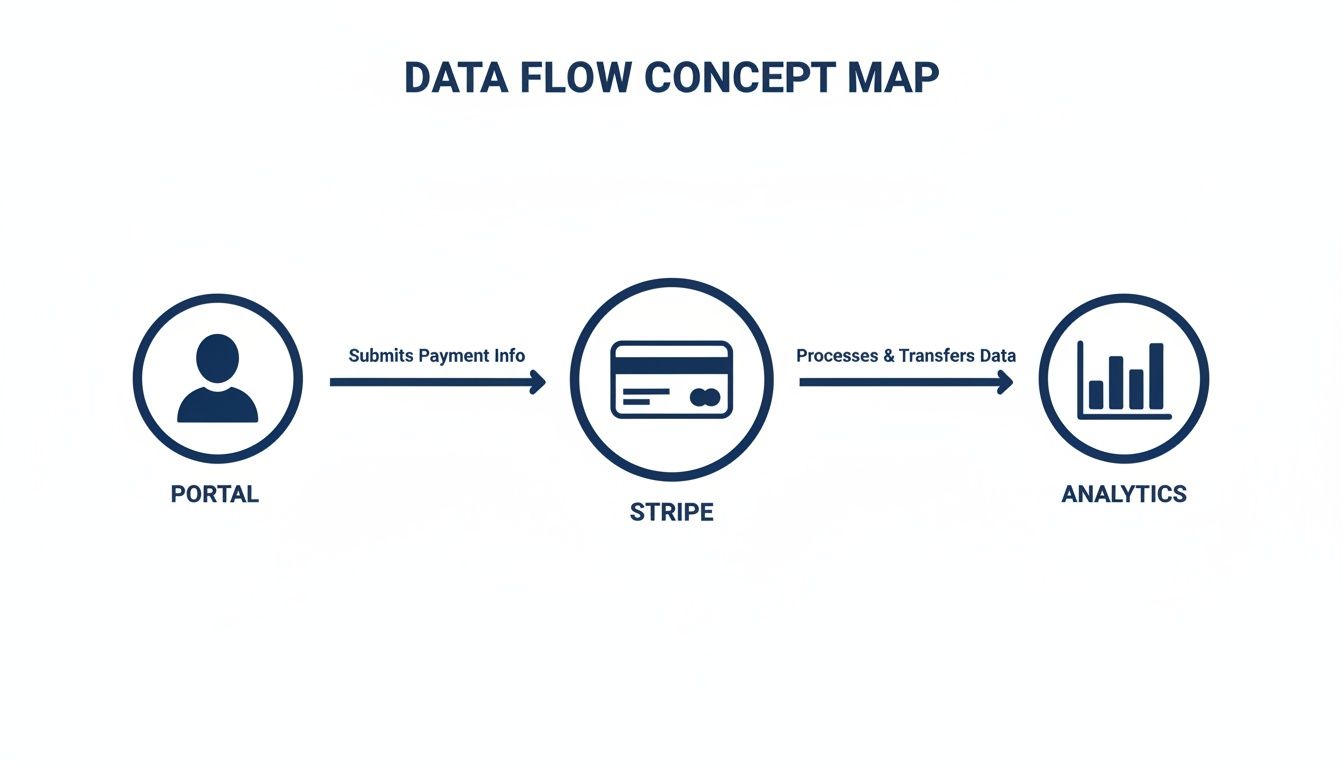
By connecting these dots, you can directly link portal usage to core business metrics like Customer Lifetime Value (LTV) and overall customer health. This isn't just about convenience—it's about building a system that proves its own value in real dollars and cents.
Key Performance Indicators (KPIs) for Your Self Service Portal
To get a complete picture of your portal's performance, you need to track a handful of key metrics consistently. This table breaks down what to watch and why it's so important for keeping customers around.
| KPI | What It Measures | Why It Matters for Retention |
|---|---|---|
| Ticket Deflection Rate | The percentage of issues resolved via the portal instead of creating a support ticket. | Higher deflection means faster resolutions and less customer frustration, which directly correlates with lower churn. |
| Customer Satisfaction (CSAT) | A direct measure of how happy customers are with their portal experience, usually from a simple survey. | A positive experience builds loyalty. A low score is an early warning sign that the portal is causing friction, not removing it. |
| Task Completion Rate | The percentage of users who successfully complete a key task (e.g., updating billing, changing plan). | If users can't finish what they came to do, they'll get frustrated and either create a ticket or, worse, churn. |
| Portal Adoption Rate | The percentage of your active customer base that has used the portal within a specific timeframe. | Low adoption suggests a discovery or usability problem. You can't reduce churn if customers don't use the tool. |
| Reduction in Involuntary Churn | The decrease in customers lost due to failed payments after implementing the portal. | This is a direct measure of revenue saved by making it easy for customers to update their billing information. |
Tracking these KPIs will give you the hard data needed to not only justify the portal's existence but also to pinpoint exactly where you can make improvements to boost customer loyalty even further.
Your Step-by-Step Portal Implementation Plan
Building a customer portal can feel like a massive project, but it doesn't have to be. The trick is to break it down into smaller, manageable pieces. By starting with a Minimum Viable Product (MVP), even small teams can get a high-impact portal up and running fast.
The goal isn’t to build every conceivable feature from the get-go. It’s about solving the most painful, high-volume problems first. This approach delivers immediate value to your customers and your support team, letting you focus on features that actually reduce churn and keep people happy.
Phase 1: Figure Out What to Build First
Before you write a single line of code, you need to know exactly what problems you’re trying to solve. This phase is all about listening to your data, not just going with your gut.
Start by digging into your support ticket history. What are the most frequent, repetitive requests clogging up your inbox? Are customers constantly asking for old invoices? Are they struggling to update their credit card details? These common questions are your roadmap for what to build.
To get your priorities straight, use a simple impact-versus-effort framework:
- List the top 5-10 most common support requests. These are your potential portal features.
- Score each on "Impact." How much time would automating this save your team? How much frustration does it cause customers? (Score 1-5).
- Score each on "Effort." How complex would it be to build this feature? (Score 1-5, with 1 being easy and 5 being a huge pain).
Your highest-priority features are the ones with high impact and low effort. For most SaaS companies using Stripe, this almost always points to three core functions: managing subscriptions, updating payment methods, and downloading invoices.
Phase 2: Choose Your Tools and Build the MVP
With your priorities locked in, the next big decision is how you'll actually build the thing. You really have two main paths: build it yourself from scratch or buy a tool that’s already done the heavy lifting.
- Build: This gives you total control and customization, but it’s a huge drain on engineering resources. You'll also be on the hook for ongoing maintenance and all the security headaches that come with handling customer data. It only really makes sense if you have very specific needs that no off-the-shelf tool can meet.
- Buy: Tools designed specifically for creating customer portals can be up and running in days, not months. They come with secure, pre-built integrations for platforms like Stripe, handling all the tricky billing logic and PCI compliance for you.
For startups and teams that need to move fast, the "buy" option is almost always the smarter choice. It gets your MVP launched quickly so you can start deflecting tickets and see a return on your investment right away.
The whole point of an MVP is getting value to customers as fast as possible. The sooner you can solve their most annoying billing problem without them having to contact you, the more likely they are to stick around.
Phase 3: Roll It Out and Get Feedback
Once your MVP portal is built, don't just flip a switch and hope people find it. A smart rollout will drive adoption and give you crucial feedback for what to build next.
Start small. Introduce the portal to a handful of trusted customers first to iron out any kinks.
Next, start working it into your support workflow. When a customer emails asking for an invoice, send them the invoice and a link to the portal. Gently explain how they can grab it themselves instantly next time. This teaches them the new, faster way of doing things.
Finally, make the portal impossible to miss. Add a link to it in your app’s main navigation and in your email footers. You want to make self-service the easiest and most obvious option. Remember, launching the portal isn't the end—it's the beginning of an ongoing cycle of listening to your users and making it better.
Building Trust with Portal Security and Privacy
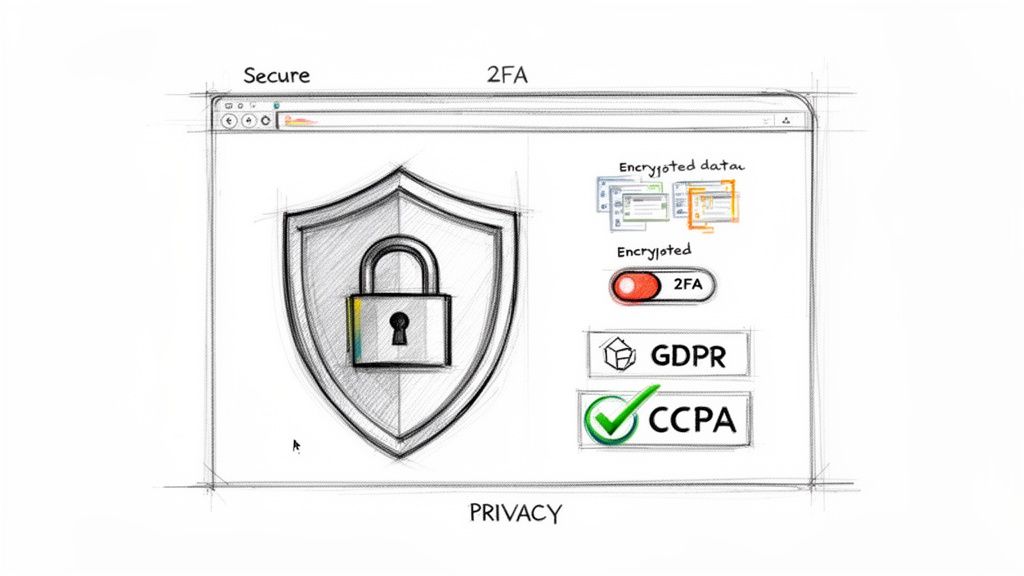
When a customer punches their credit card number into your portal, they aren't just giving you data—they're giving you their trust. That trust is fragile. A single security breach can shatter it in an instant, turning your valuable portal into a massive liability.
To prevent that, you have to treat security as a core part of the customer experience, not just a technical checkbox. If the login process feels flimsy or outdated, customers will get nervous. They'll hesitate to perform the very actions the portal was built for, like updating a payment method, which completely defeats the purpose.
Fortifying Access with Secure Authentication
Your login page is the front door to your portal, and it needs to be bolted shut. In today's world, a simple password just doesn't cut it anymore. Your first and most important line of defense is implementing modern, robust authentication methods.
This is non-negotiable for protecting customer data. Start with these two essentials:
- Single Sign-On (SSO): Let users log in to the portal with the same credentials they use for your main product. It’s a much smoother experience for them and drastically cuts down on the risk of weak or reused passwords.
- Two-Factor Authentication (2FA): This is a huge step up. By requiring a second piece of information—like a code sent to their phone—you make it exponentially harder for a bad actor to get in, even if they somehow steal the password.
These features do more than just lock down accounts; they send a clear signal to your customers that you're serious about protecting them.
Protecting Data and Staying Compliant
Once a customer is logged in, the job's not done. You have to protect their data, whether it’s in transit or sitting in your database. This is where encryption and regulatory compliance become absolutely critical. You are now the custodian of their sensitive information, and you have to handle it with extreme care.
A customer self-service portal doesn't just manage subscriptions; it manages a customer's trust in your brand. Every security feature is a promise that you are protecting their information as if it were your own.
To make good on that promise, you need to cover both the technical safeguards and your legal responsibilities.
Key Security and Compliance Checklist:
- End-to-End Encryption: All data moving between the customer's browser and your portal must be encrypted. Use modern protocols like TLS (Transport Layer Security) to prevent anyone from snooping on sensitive information as it travels across the internet.
- Data Privacy Compliance: You have to know the rules of the road. That means strict adherence to regulations like the General Data Protection Regulation (GDPR) in Europe and the California Consumer Privacy Act (CCPA). Be transparent about what data you collect, provide clear privacy policies, and have a process for handling data deletion requests.
By baking these practices into your portal's DNA, you do more than just avoid hefty fines. You build a foundation of trust that encourages customers to actually use the portal, strengthening their loyalty and proving that you're not just a vendor, but a partner.
Common Questions About Self-Service Portals
Even with a solid plan, it's natural for SaaS founders and product managers to have a few nagging questions before diving into a self-service portal project. Let's tackle some of the most common ones head-on. Getting these details right is often what separates a portal customers love from one they ignore.
Many teams, especially smaller ones, get hung up on the initial investment and wonder if they can even pull it off. The good news is, you absolutely can.
Can a Small Startup Actually Build an Effective Portal?
Yes, without a doubt. The trick is to stop thinking you need to build the perfect, all-in-one system right out of the gate. Start with a lean Minimum Viable Product (MVP) that solves the top 2-3 problems that clog up your support queue.
For most SaaS businesses running on Stripe, that usually means focusing on three core tasks:
- Letting customers update their payment method to prevent failed payments.
- Giving them one-click access to download past invoices for their records.
- Allowing them to manage their subscription—upgrading, downgrading, or pausing.
You don't need a huge engineering team for this. Modern third-party tools are built to plug directly into Stripe, letting you launch a secure, functional portal in days, not months. This approach delivers a quick win for your customers and immediately lightens the load on your support team.
What’s the Biggest Mistake Companies Make?
The most common trap is treating the portal as a one-and-done, "set-it-and-forget-it" project. A great self-service portal isn't just a feature; it's a living product that should evolve with your customers' needs.
Companies that launch a portal and then never look at the data—how people are using it, where they get stuck—are pretty much guaranteed to see low adoption.
Think of your portal as a core part of your customer experience, not just a support-deflection tool. Keep a close eye on metrics like successful task completions and ticket deflection rates. This data tells you exactly what’s working and where you need to smooth things out.
How Do We Get Customers to Actually Use It?
Getting people to adopt the portal boils down to two things: awareness and value.
First, you have to let them know it exists. Promote it everywhere your customers already are. Add a link to your support email signatures, pop up an in-app message, and make it a clear step in your new user onboarding flow.
Second, the portal has to be the most efficient way to get something done. If a customer can download an invoice in 30 seconds versus waiting two hours for a support reply, the choice is obvious. A really effective move is to have your support widget proactively suggest a link to the portal when a user types in a keyword like "invoice" or "update billing." This trains them to look there first, building a habit that saves everyone time.
A great portal not only empowers customers but also provides critical insights into their behavior. LowChurn uses these signals to predict churn with over 85% accuracy, giving you the early warnings you need to protect your revenue. See how our AI-powered platform can help you keep more customers at https://www.lowchurn.com.