In the competitive SaaS landscape, a seamless customer onboarding experience is no longer a nice-to-have; it's the single most critical factor in long-term retention. The first few weeks of a customer's journey determine their path to activation, engagement, and ultimately, advocacy or churn. A flawed process leads to confusion, low adoption, and predictable cancellations, directly impacting your Monthly Recurring Revenue (MRR). Getting this initial phase right is your first, and best, opportunity to prevent churn before it ever becomes a risk.
This guide moves beyond generic advice. We provide a prioritized, actionable roundup of 10 customer onboarding best practices specifically designed for Stripe-connected SaaS businesses. Instead of vague theories, you will find concrete strategies to implement immediately. We will cover everything from setting clear goals and key performance indicators to implementing data-driven automation with churn-prevention tools, ensuring every new user is set up for success from day one.
You will learn how to:
- Define and track key activation milestones.
- Segment users for personalized onboarding sequences.
- Establish clear handoffs between sales and success teams.
- Use in-app guidance and proactive messaging effectively.
- Measure onboarding success with customer health scores.
By mastering these strategies, you can transform your onboarding from a simple checklist into a powerful, data-informed engine for sustainable growth. Let’s dive into the practices that turn new sign-ups into loyal, long-term customers.
1. Implement Predictive Churn Analytics Before Manual Outreach
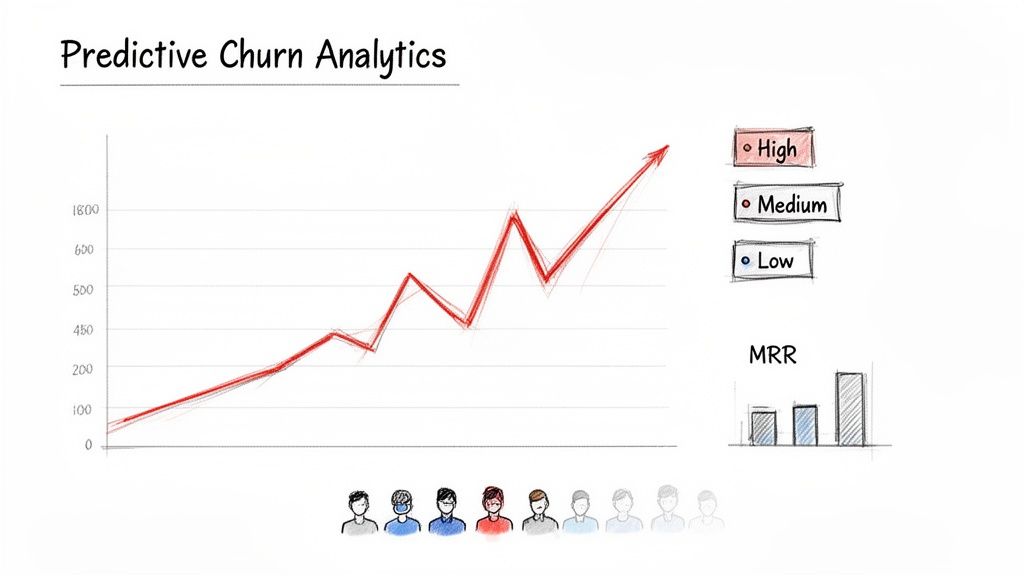
Effective customer onboarding best practices are fundamentally proactive, not reactive. Instead of waiting for customers to signal dissatisfaction, leading SaaS businesses now deploy AI-driven churn prediction models to identify at-risk accounts well before they cancel. This strategy shifts retention efforts from last-ditch recovery to preemptive, targeted intervention.
By analyzing thousands of data points, including product usage patterns and Stripe subscription events, these models can surface subtle early warning signs that a human team would likely miss. This provides a crucial 7-30 day window to act.
How It Works and Why It Matters
Predictive analytics uses machine learning to assign a "churn score" to each customer, quantifying their likelihood of canceling. A platform like LowChurn can achieve over 85% prediction accuracy by analyzing signals such as a decline in feature adoption, changes in session frequency, or even specific sequences of billing events from Stripe. This precision allows your customer success team to prioritize outreach with surgical accuracy, focusing their efforts where they will have the greatest impact on revenue retention.
The primary benefit is transforming your retention strategy. Rather than using a one-size-fits-all approach, you can create hyper-targeted campaigns. For example, a customer with a high churn score and low adoption of a key feature might receive a personalized in-app guide, while another at-risk customer with billing issues could get an automated email to update their payment method.
Actionable Implementation Tips
- Prioritize High-Value Segments: Begin by applying churn prediction to your highest-value customer cohorts to maximize the immediate impact on your MRR.
- Automate Proactive Alerts: Set up automated notifications for your team via Slack or email when a customer's health score crosses a critical risk threshold.
- Combine with Usage Data: Overlay churn scores with product usage heatmaps. This helps you diagnose the "why" behind the risk, such as a user struggling with a specific workflow.
- Test and Iterate: Before engaging your highest-risk accounts, test your retention messaging and offers on medium-risk cohorts to refine your approach. If you're looking for an in-depth guide, you can learn more about building an effective churn prediction model here: Learn more about creating a churn prediction model on LowChurn.com.
2. Create a Structured Onboarding Timeline with Milestones
A reactive, unstructured onboarding process is a primary driver of early-stage churn. One of the most critical customer onboarding best practices is to architect a clear, sequential journey with defined milestones. This approach transforms onboarding from a vague welcome period into a predictable, measurable process that systematically guides users toward activation and long-term value.
By breaking the journey into distinct phases (e.g., Setup → First Value → Habit Formation), you create a framework for tracking progress and identifying friction points. This structured timeline ensures no customer gets lost, introduces core features logically, and establishes clear touchpoints to measure engagement. More importantly, it surfaces drop-off points where churn risk is highest.
How It Works and Why It Matters
A milestone-based timeline maps the ideal path a new user should take to become successful with your product. Each milestone represents a key "aha moment" or a critical action that correlates with long-term retention. For instance, Stripe’s onboarding funnel moves users from account setup to connecting a payment processor and then processing their first transaction. Each step is a measurable milestone.
The primary benefit is predictability and control. Instead of hoping users discover value, you guide them to it. This structure allows you to automate interventions. If a customer fails to complete the "Setup" phase within 48 hours, you can trigger an automated email with helpful resources. If they stall before reaching the "First Value" milestone, a customer success manager can be alerted to offer personalized support. This turns onboarding into a proactive, data-driven system for activation.
Actionable Implementation Tips
- Map Milestones to Activation Metrics: Define your product's key activation events (e.g., creating a first project, inviting a team member) and build your timeline around them.
- Automate Alerts for Delays: Set up triggers in your analytics or CRM to notify your team when a customer is stuck at a specific milestone for too long. This is a powerful early churn signal.
- Create Segment-Specific Timelines: Not all customers are the same. Design unique onboarding paths for different user personas or business sizes to address their specific needs.
- Instrument Each Milestone: Track every milestone transition as an event in your product analytics and connect it to Stripe subscription data to measure its impact on LTV. You can learn more about this by creating a detailed B2B customer journey map: Learn more about creating a B2B customer journey map on LowChurn.com.
3. Use Product-Qualified Leads (PQL) to Identify High-Intent Users
Traditional lead scoring, focused on marketing-qualified leads (MQLs), often prioritizes prospects based on surface-level actions like email opens and webinar attendance. A more potent strategy for customer onboarding is to shift focus to Product-Qualified Leads (PQLs), identifying users who demonstrate genuine buying intent through their product interactions during a trial or freemium period. This approach bridges the gap between initial interest and long-term value.
By tracking specific in-app behaviors that correlate with conversion and retention, you can pinpoint users who have already experienced your product's core value. This allows customer success and sales teams to engage with warm, educated prospects, dramatically improving the efficiency of the handoff and the quality of the onboarding experience.
How It Works and Why It Matters
A PQL model defines a set of key activation events that signal a user is highly likely to become a paying customer. Instead of guessing based on demographic data, you use concrete product usage to qualify leads. For example, Slack identifies PQLs by tracking workspace message volume, while Calendly monitors the frequency of calendar connections and event creation. This data-driven approach ensures your team’s outreach is timely, relevant, and focused on users who are on the cusp of converting.
The core benefit is aligning your onboarding efforts with actual user value realization. When a user hits a PQL threshold, it signifies they've moved beyond simple exploration and are actively solving a problem with your tool. Engaging them at this precise moment allows you to guide them toward deeper feature adoption and secure a smoother transition to a paid plan, which is one of the most effective customer onboarding best practices for reducing early-stage churn.
Actionable Implementation Tips
- Define Your PQL Threshold: Analyze the in-app actions of users who successfully convert and retain for over 90 days. Identify the common milestones they achieved during their trial to set your PQL criteria.
- Create Tiered PQL Scores: Segment PQLs into "hot," "warm," and "cold" tiers. Route "hot" leads (e.g., those who have invited multiple team members) to your sales or success team for immediate, high-touch outreach within 24 hours.
- Combine PQL and Firmographic Data: Enhance your model by layering PQL scores with company signals like industry or employee count. This helps prioritize outreach to high-intent users at ideal customer profile (ICP) accounts.
- Build a Feedback Loop: Regularly analyze the trial-period PQL scores of customers who eventually churn. Use these insights to refine your PQL definitions and identify potential friction points in the early user journey that need to be addressed.
4. Deliver Early Value in the First 7 Days
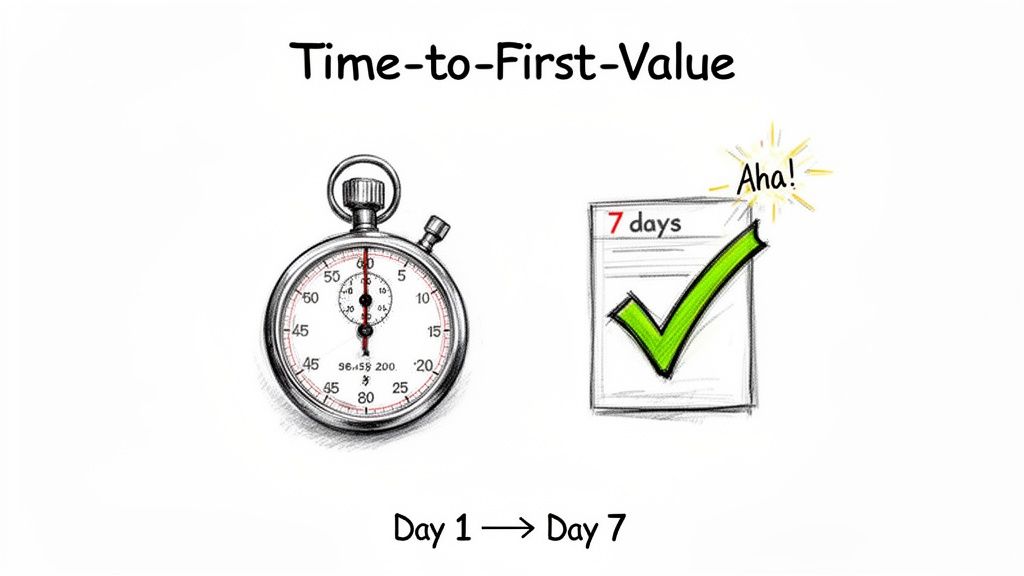
One of the most critical customer onboarding best practices is to minimize the time it takes for a new user to experience tangible value. The first seven days are a make-or-break window where customers decide if your product is worth integrating into their workflow. If they fail to achieve a meaningful outcome or reach their first "aha moment" quickly, their motivation plummets, and the likelihood of churn skyrockets. The goal is to guide them to that initial win as efficiently as possible.
This concept, often called Time-to-First-Value (TTFV), is about proving your product’s ROI immediately. For a tool like Calendly, it's having a live booking link within 10 minutes. For Notion, it's duplicating a pre-built template to instantly organize a project. This initial success builds momentum and user investment.
How It Works and Why It Matters
A fast TTFV demonstrates that your product delivers on its marketing promises, building trust and habit formation from the very first session. Instead of presenting users with a blank slate, which can be intimidating, you proactively guide them toward a specific, high-impact action. This shifts the user's perception from "What do I do now?" to "Wow, I've already accomplished something." This early validation is a powerful defense against churn.
The key benefit is transforming a potentially confusing setup process into a rewarding first experience. A user who sees immediate value is far more likely to complete the full onboarding sequence, explore advanced features, and ultimately convert into a long-term, loyal customer. Tracking Day 7 activation rates provides a powerful leading indicator of future retention and account health.
Actionable Implementation Tips
- Map Your "Aha Moment": Analyze data from your most retained customers to identify the single most impactful action they took in their first week. Build your onboarding flow around driving new users to that specific milestone.
- Reduce Signup Friction: Use OAuth integrations (e.g., Google or GitHub sign-in) and progressive profiling to minimize the fields required at signup. Ask for more information later, once value has been established.
- Leverage Templates and Defaults: Pre-populate new accounts with sample data, project templates, or smart defaults based on industry or company size. This turns an empty state into an educational launchpad.
- Track Day 7 Activation: Define and monitor a "Day 7 activation rate" as a primary KPI for your onboarding success. This metric helps you quickly measure the impact of any changes to your flow. For more on this, Reforge offers deep dives into activation metrics: Learn more about activation metrics on Reforge.com.
5. Segment Onboarding by Customer Profile, Not One-Size-Fits-All
A one-size-fits-all onboarding flow is a recipe for disengagement and churn. Instead of forcing every user down an identical path, one of the most effective customer onboarding best practices is to tailor the experience to distinct customer segments. This approach acknowledges that an enterprise team lead has vastly different needs, goals, and technical abilities than a self-serve small business owner.
Segment-specific onboarding dramatically improves activation rates by aligning the journey with each user's unique success criteria and value drivers. By personalizing the initial steps, you guide users directly to the features that solve their specific problems, accelerating their time-to-value and reinforcing their decision to choose your platform.
How It Works and Why It Matters
Segmentation starts by profiling users based on data collected during signup, such as company size, role, or intended use case. This data is then used to route them into customized onboarding tracks. For example, HubSpot directs users to entirely different setup flows depending on whether they signed up for the Sales, Marketing, or Service Hub, as each product solves a distinct business problem.
The primary benefit is relevance. A technical user might be directed to API documentation and integration guides, while a non-technical user receives a series of in-app product tours and video tutorials. This prevents frustration and ensures each cohort receives the most direct path to their "aha!" moment. This level of personalization makes customers feel understood and builds a stronger foundation for long-term retention.
Actionable Implementation Tips
- Start with Core Segments: Begin by identifying 2-3 of your most critical customer profiles (e.g., enterprise vs. SMB, technical vs. business user) before adding more complexity.
- Automate Classification: Use data from signup forms, Clearbit enrichment, or even email domain analysis to automatically classify and route new users into the correct onboarding sequence.
- Build Segment Playbooks: Define what "activation" means for each group. Create unique checklists, goals, and content (videos, knowledge base articles) tailored to their specific needs.
- Track Performance by Cohort: Monitor key onboarding KPIs like activation rate, feature adoption, and 90-day retention for each segment. This helps you quickly identify and address friction points within specific user journeys.
6. Establish Clear Handoff Protocols Between Sales and Customer Success
A seamless transition from sales prospect to supported customer is a non-negotiable part of modern customer onboarding best practices. The moment a deal is closed is also the moment the risk of a poor initial experience is highest. Establishing a formal, documented handoff protocol between sales and customer success (CS) prevents critical account information from being lost and ensures the customer's momentum and excitement are carried directly into the onboarding process.
This protocol acts as a bridge, transferring essential context, goals, and expectations gathered during the sales cycle to the team responsible for long-term value delivery. Without it, new customers are forced to repeat themselves, initial setup is delayed, and the first impression of your company becomes one of disorganization. This early friction is a significant, yet entirely avoidable, driver of early-stage churn.
How It Works and Why It Matters
A structured handoff is a predefined process triggered the moment a deal is marked "Closed-Won." It involves transferring specific, standardized information from the account executive to the assigned customer success manager (CSM). This is not just a casual email; it's a systematic data transfer often managed through a shared CRM template that includes the customer's primary business goals, key stakeholders, technical requirements, and any unique promises made during the sales process.
The primary benefit is continuity of the customer experience. When the CSM enters the first kickoff call already knowing the customer's "why," they can immediately focus on "how" to achieve it. This builds instant trust and validates the customer's decision to buy. Companies like Salesforce and HubSpot have institutionalized this, using their own CRM platforms to create automated tasks for the CS team, ensuring no new customer ever feels dropped after the contract is signed.
Actionable Implementation Tips
- Create a "Deal Handoff" CRM Template: Build a required field set in your CRM (Salesforce, HubSpot) that sales must complete before a deal can be officially closed. Include fields for "Primary Business Objective," "Key Stakeholders," and "Implementation Needs."
- Establish a 24-Hour Handoff SLA: Implement a strict Service Level Agreement that the handoff must be completed within 24 hours of the deal closing. Track and report on compliance to ensure accountability.
- Schedule the Kickoff Call Before Product Access: The sales team should schedule the initial onboarding kickoff call with the CSM and the customer as the final step in their process. This ensures immediate, guided engagement.
- Automate Task Creation: Use a workflow rule in your CRM to automatically create a set of onboarding tasks for the CS team as soon as a deal stage is updated to "Won."
- Hold Monthly Sales-CS Syncs: Dedicate time each month for sales and CS leaders to review the quality of recent handoffs, identify recurring friction points, and refine the process.
7. Implement In-App Guided Tours and Contextual Help Messaging
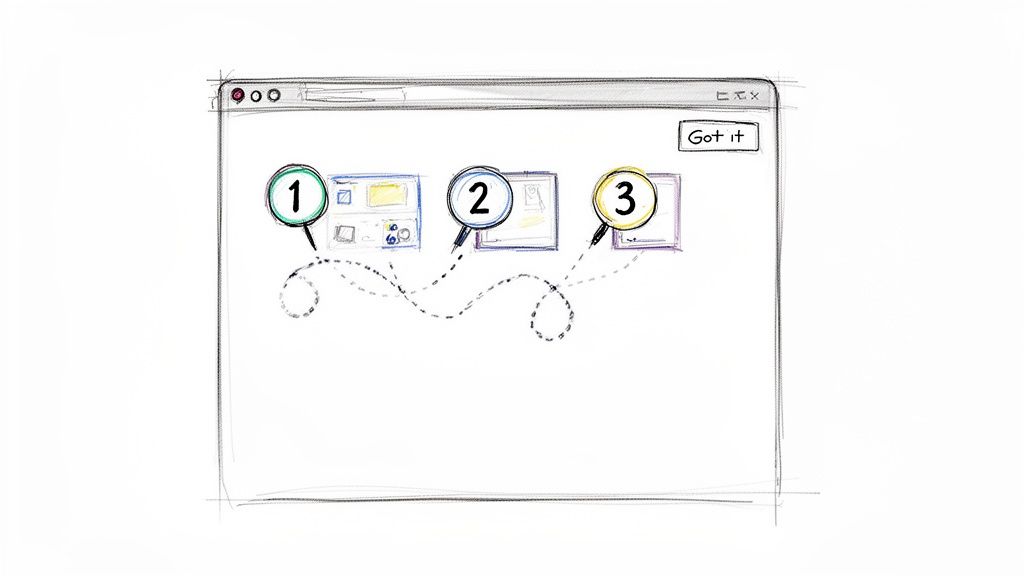
The most effective customer onboarding best practices meet users where they are, directly within your application's interface. Instead of forcing users to consult external documentation or watch lengthy videos, in-app guided tours and contextual help messages provide interactive tutorials at the precise moment of need. This strategy reduces friction, accelerates time-to-value, and empowers users to master key workflows independently.
This approach transforms the learning process from a passive experience into an active, hands-on one. By embedding guidance like tooltips, modals, and interactive walkthroughs, you can steer new users toward their "Aha!" moment faster, directly improving activation and long-term retention rates.
How It Works and Why It Matters
In-app guidance uses triggers based on user behavior, such as a first-time login or visiting a specific page, to display relevant information. Platforms like Appcues or Intercom allow you to build these flows without writing code. This is crucial for guiding users through essential setup tasks, such as generating an API key in the Stripe Dashboard or creating their first project in a tool like Notion.
The primary benefit is a significant reduction in cognitive load and support ticket volume. By proactively answering questions and demonstrating value within the product, you enable a scalable, self-serve onboarding model. This is especially vital for product-led growth companies where the product itself is the main driver of acquisition and conversion. Users feel more competent and are less likely to abandon the platform out of confusion.
Actionable Implementation Tips
- Segment Your Audience: Only trigger foundational guides for brand new users (e.g., in their first 7 days) or for those returning after a long period of inactivity. Avoid annoying your power users.
- Keep Tours Short and Focused: Limit each interactive tour to three steps or fewer. Long, multi-step guides have high abandonment rates. Focus on teaching a single, high-impact action.
- Identify Friction Points: Use product analytics to find where users get stuck or drop off. Build targeted tooltips and guides specifically for these high-friction moments.
- Set Micro-Goals with Rewards: Frame guides around a clear goal, like "Create your first invoice." Celebrate the completion with a small in-app success message to build momentum.
- A/B Test Everything: Continuously test the guide's copy, timing, format (tooltip vs. modal), and visual design to optimize completion rates and user engagement.
8. Build a Comprehensive Knowledge Base and Self-Service Resource Library
A scalable customer onboarding strategy relies on empowering users to find answers independently. Building a comprehensive, easily searchable knowledge base is not just about reducing support tickets; it's a core component of a proactive onboarding experience that fosters self-sufficiency and user confidence from day one. This library becomes the single source of truth for both your customers and your internal teams.
By creating well-organized documentation, video tutorials, and troubleshooting guides, you enable customers to learn at their own pace and solve problems instantly without waiting for a support response. For SaaS businesses using Stripe, this is particularly crucial for documenting complex topics like API integration, billing workflows, and compliance, which can otherwise become major onboarding friction points.
How It Works and Why It Matters
A robust knowledge base acts as an extension of your customer success team, available 24/7. Companies like Stripe and Slack have set the standard with exceptional documentation that not only resolves issues but also educates users on best practices and advanced use cases. This approach transforms documentation from a reactive tool into a proactive educational resource that accelerates product adoption and mastery.
The primary benefit is scalability. As your customer base grows, your support team's capacity doesn't have to scale linearly. A self-service library deflects common questions, freeing your team to focus on high-value, complex customer issues. To effectively empower both your team and your customers with instant access to information, explore the benefits of dedicated company knowledge base software.
Actionable Implementation Tips
- Start with High-Frequency Questions: Analyze your support tickets and identify the top 20-30 most common questions. Document clear, concise answers to these first to achieve the biggest immediate impact.
- Create a "Getting Started" Hub: Designate a prominent section for new users that guides them through initial setup, key first actions, and core feature tutorials.
- Embed Resources In-App: Don't force users to leave your product to find help. Use in-app widgets or contextual links that surface relevant articles directly within the user interface, especially from error messages.
- Use Analytics to Guide Content: Track which articles are most viewed, what terms users search for, and where they fail to find answers. Use this data to prioritize creating new content and improving existing articles.
- Record Short Instructional Videos: For visual learners, create short (2-5 minute) videos using tools like Loom to demonstrate complex workflows. This is highly effective for one of the most important customer onboarding best practices: showing, not just telling.
- Document Stripe-Specific Workflows: Provide detailed guides on API key setup, transitioning from test to live mode, and webhook configuration examples to streamline the payment integration process.
9. Monitor and Measure Onboarding Performance with Health Scoring
One of the most critical customer onboarding best practices is to move beyond guesswork and establish quantitative, automated health scores. This system tracks which new customers are on a successful activation path versus those who are at risk. Health scoring combines multiple signals into a single, predictive indicator, enabling proactive intervention at the earliest warning signs.
This score synthesizes behavioral data like product usage, feature adoption, and login frequency with engagement metrics and even Stripe billing events. The result is a unified metric that provides a clear, at-a-glance view of customer well-being. This transforms your team from reactive problem-solvers into proactive advisors who can address issues before they lead to churn.
How It Works and Why It Matters
A customer health score is a weighted metric calculated from various data points that correlate with long-term retention and success. A platform like Gainsight offers a multi-dimensional framework, while a tool like LowChurn can achieve high accuracy by specifically combining product usage signals with Stripe subscription data. The goal is to distill complex customer behavior into a simple, actionable score (e.g., 0-100 or red/yellow/green).
The primary benefit is enabling your customer success team to prioritize their efforts effectively. Instead of treating all new users the same, they can segment their workload based on risk. A customer with a rapidly declining health score requires an immediate, high-touch intervention, while a healthy customer might receive a standard check-in. This data-driven approach ensures resources are allocated where they will have the greatest impact on preventing churn.
Actionable Implementation Tips
- Define Your Formula: Identify the leading indicators that correlate with 90-day retention for your specific product. Key inputs often include daily active users, adoption of core features, and support ticket sentiment.
- Integrate Billing Signals: For Stripe-based SaaS, incorporate MRR health, payment success rates, and subscription modification events into your score. These are powerful, often-overlooked predictors of churn.
- Set Segment-Specific Thresholds: A "healthy" score for a self-serve SMB customer will differ from that of a high-touch enterprise account. Create distinct scoring models and thresholds for different customer segments.
- Track Trends, Not Snapshots: The direction of a health score is more important than its value at a single point in time. A score declining from 90 to 75 is a more urgent red flag than a score that is stable at 60. You can learn more about how to create a data-driven system here: Learn more about building a customer health score on LowChurn.com.
10. Execute Proactive, Data-Driven Retention Campaigns for At-Risk Accounts
Identifying at-risk accounts is only half the battle; the real value comes from taking decisive, targeted action. Instead of waiting for a cancellation notice, the best customer onboarding practices involve deploying proactive retention campaigns designed to re-engage struggling users and demonstrate immediate value. This strategy turns risk identification into revenue preservation.
These data-driven campaigns move beyond generic "we miss you" emails. They leverage specific customer data, such as low feature adoption or declining usage patterns, to deliver personalized, relevant outreach. The goal is to address the root cause of disengagement and guide the customer back to a healthy, active state before they make the final decision to churn.
How It Works and Why It Matters
Once a tool like LowChurn flags an account with a high churn score, you can trigger automated, pre-built retention campaigns. These aren't just emails; they are multi-step, multi-channel sequences that might include in-app messages, personalized tutorials, or special offers. For example, a campaign could be triggered when a user's engagement with a key feature drops, sending them a short guide titled, "3 Ways to Get More Value from [Feature Name]."
The core benefit is converting a high-risk signal into a positive re-engagement opportunity, directly protecting your MRR. Rather than applying a uniform approach, you can segment at-risk users by their specific "failure mode." A customer with billing issues receives a different campaign than one with low daily active users, ensuring the intervention is both timely and contextually relevant. This targeted approach significantly increases the likelihood of successfully recovering the account.
Actionable Implementation Tips
- Segment At-Risk Cohorts: Group at-risk customers by their primary issue: low product usage, declining session frequency, billing problems, or recent support tickets. Tailor your campaign messaging to solve each specific problem.
- Personalize Outreach with Usage Data: Reference the user's actual behavior in your messaging. For instance, "We noticed you haven't used our reporting feature yet. Here’s a quick video to get you started."
- Use Multiple Channels: Initiate contact with an in-app message. If there's no response within 48 hours, follow up with an automated email. For high-value accounts, escalate to a manual outreach from a customer success manager.
- Deploy Smart Offers: For users at critical risk, consider offering a time-limited discount or a temporary upgrade to a higher plan to showcase additional value. This is often more effective and less damaging to long-term LTV than permanent price cuts.
10-Point Customer Onboarding Best Practices Comparison
| Approach | Implementation Complexity 🔄 | Resource Requirements ⚡ | Expected Outcomes 📊 | Ideal Use Cases 💡 | Key Advantages ⭐ |
|---|---|---|---|---|---|
| Implement Predictive Churn Analytics Before Manual Outreach | High — model training, integration, calibration | High — historical data, analytics engineers, Stripe event stream | Early warning (7–30 days); recover ~15–25% at-risk MRR; measurable ROI | Subscription SaaS on Stripe with enough historical signals | Predictive prioritization of high-value at-risk accounts; data-driven ROI |
| Create a Structured Onboarding Timeline with Milestones | Medium — design flow, cross-team alignment | Medium — product, CS, automation for triggers | Clear activation funnel; identifies drop-off points; improved SLA tracking | Products with multi-step activation or complex setups | Predictability and accountability across teams; scalable onboarding |
| Use Product-Qualified Leads (PQL) to Identify High-Intent Users | Medium — define signals and scoring, iterate | Medium — event logging, product analytics, sales/CS workflows | Higher conversion (3–5x vs MQL); better retention among PQLs | Trial/freemium product-led growth models | Focuses sales/CS on high-intent users; improves conversion efficiency |
| Deliver Early Value in the First 7 Days | Low–Medium — product UX work, templates, guided flows | Medium — engineering, UX, content creation | Lower early churn; stronger engagement; 3–5x Year‑1 retention uplift for early-value users | All PLG products; critical when Day 7–30 churn is high | Faster TTFV, reduced support load, stronger user retention |
| Segment Onboarding by Customer Profile, Not One-Size-Fits-All | Medium–High — segmentation rules, multiple flows | Medium — research, content, engineering to maintain variants | Higher activation per cohort; targeted retention; efficient CS allocation | Products serving diverse personas (enterprise vs SMB, technical vs non-technical) | Tailored experiences that align with customer needs; improved activation |
| Establish Clear Handoff Protocols Between Sales and Customer Success | Low — documented process, CRM templates | Low — CRM config, process training, SLAs | Faster kickoff, fewer early-stage churns; better sales-CS alignment | B2B/enterprise sales with handoffs post-close | Prevents abandonment post-sale; ensures contextual, timely onboarding start |
| Implement In-App Guided Tours and Contextual Help Messaging | Low–Medium — tooling selection, UX writing | Low–Medium — content creation, in-app tooling (Appcues/Pendo) | Increased feature adoption; fewer support tickets; faster activation | Self-serve/SMB segments and complex UIs | Scales in-context education; captures analytics on friction points |
| Build a Comprehensive Knowledge Base and Self-Service Resource Library | Low–Medium — content creation & organization | Medium — writers, video production, maintenance | Reduces tickets 20–30%; users who use KB show ~10–15% lower churn | All SaaS, especially asynchronous support needs and Stripe integrations | Scales support, improves satisfaction, SEO and onboarding reference |
| Monitor and Measure Onboarding Performance with Health Scoring | High — data model, dashboards, calibration | High — analytics platform, data engineers, ongoing tuning | Predictive signals weeks ahead; prioritizes CS outreach; KPI-driven improvements | Mature SaaS wanting predictive operations and CS prioritization | Centralized risk detection; enables proactive interventions and measurement |
| Execute Proactive, Data-Driven Retention Campaigns for At-Risk Accounts | Medium — campaign orchestration, personalization logic | Medium–High — marketing/CS resources, multi-channel tools | Recovers ~10–30% of at-risk revenue; direct MRR protection; measured ROI | When health scores/churn models identify at-risk cohorts | Targeted re-engagement with measurable MRR recovery; scalable playbooks |
From Onboarding to Advocacy: Building a Retention-First Culture
Mastering customer onboarding isn't about checking boxes on a list; it’s about architecting a system for sustained growth. Throughout this guide, we've explored a comprehensive set of customer onboarding best practices designed to transform new signups into loyal advocates. The journey from a promising trial to a long-term, high-value partnership is paved with intentional, data-driven interactions.
The core principle unifying these strategies is a shift from a reactive to a proactive mindset. Instead of waiting for churn signals to appear, you must build an onboarding engine that anticipates needs, removes friction, and consistently demonstrates value. This proactive stance is the cornerstone of a retention-first culture, where every team understands its role in securing customer success from day one.
Key Takeaways for Immediate Action
Let's distill the most critical, actionable insights from our list. If you're looking for where to start, focus your energy on these three fundamental pillars:
- Prioritize Data-Driven Segmentation: Abandon the one-size-fits-all approach. Use user personas, job titles, or initial goals to create tailored onboarding paths. A small business owner has different needs than an enterprise team lead, and your onboarding must reflect that understanding immediately.
- Focus on the First "Aha!" Moment: Your primary goal in the first session, or first week, is to guide the user to their initial moment of value. Identify the key activation milestones that correlate with long-term retention and build your in-app guides, checklists, and email sequences around achieving them as quickly as possible.
- Establish Clear Ownership and Handoffs: Friction between sales, product, and customer success is a silent killer of new accounts. Implement a clear handoff protocol, using a shared CRM or a tool like LowChurn to ensure the customer success team has the full context needed to deliver a personalized, seamless experience.
The Strategic Value of Mastering Onboarding
Investing in these customer onboarding best practices yields returns far beyond reducing early-stage churn. A truly effective onboarding process becomes a powerful growth lever for your entire business. When customers achieve their desired outcomes quickly, they are more likely to upgrade, expand their usage, and become vocal champions for your brand. This creates a virtuous cycle where successful customers attract new prospects, lowering customer acquisition costs and increasing lifetime value.
For Stripe-connected businesses, this is particularly potent. Your subscription data holds the key to understanding user behavior, but it's most powerful when combined with in-product activity. By connecting these data sources, you can build predictive health scores, identify at-risk accounts before they disengage, and trigger automated retention workflows that feel personal and timely. For continuous learning and deeper dives into fostering a retention-first culture, consider consulting a customer success blog for further insights.
Ultimately, your onboarding is your first, best promise to your customer. It sets the tone for the entire relationship. By treating it as the continuous, strategic discipline it is, you're not just preventing churn; you're building the foundation for a resilient, customer-centric business poised for sustainable success.
Ready to turn these best practices into automated reality? LowChurn connects directly to your Stripe account to provide predictive churn analytics, actionable health scores, and pre-built retention playbooks, helping you implement a world-class onboarding and retention strategy in minutes. Stop guessing and start saving customers with a free trial of LowChurn.