
A well-structured Customer Success (CS) plan is the difference between reactive firefighting and proactive partnership. It aligns your team with customer goals, defines value, and creates a clear roadmap for renewal and expansion. But creating these plans from scratch for every single customer can drain valuable time and resources, leading to inconsistent outcomes and missed opportunities. That's why smart SaaS teams leverage proven customer success plan templates.
This curated list moves beyond basic spreadsheets, offering dynamic, collaborative, and actionable templates from leading platforms like Miro, Gainsight, and ClickUp. We've gathered the best options to help you standardize your approach while leaving room for strategic customization. For each template, we provide a direct link, a quick preview, and an analysis of its ideal use case, from high-touch enterprise accounts to scalable tech-touch segments.
You'll discover specific customization tips for subscription businesses and learn how these plans can be supercharged with data from churn-prevention tools. The initial setup of these plans is crucial; to truly maximize their impact, delve into how to improve customer onboarding process, a critical component often integrated into these strategies. This guide is your shortcut to building CS plans that drive retention.
1. ClickUp
ClickUp offers a dynamic and operational approach to customer success planning, moving beyond static documents. Instead of a downloadable file, it provides a pre-built, structured template within its powerful work management platform. This turns your customer success plan template into a living, collaborative project space.
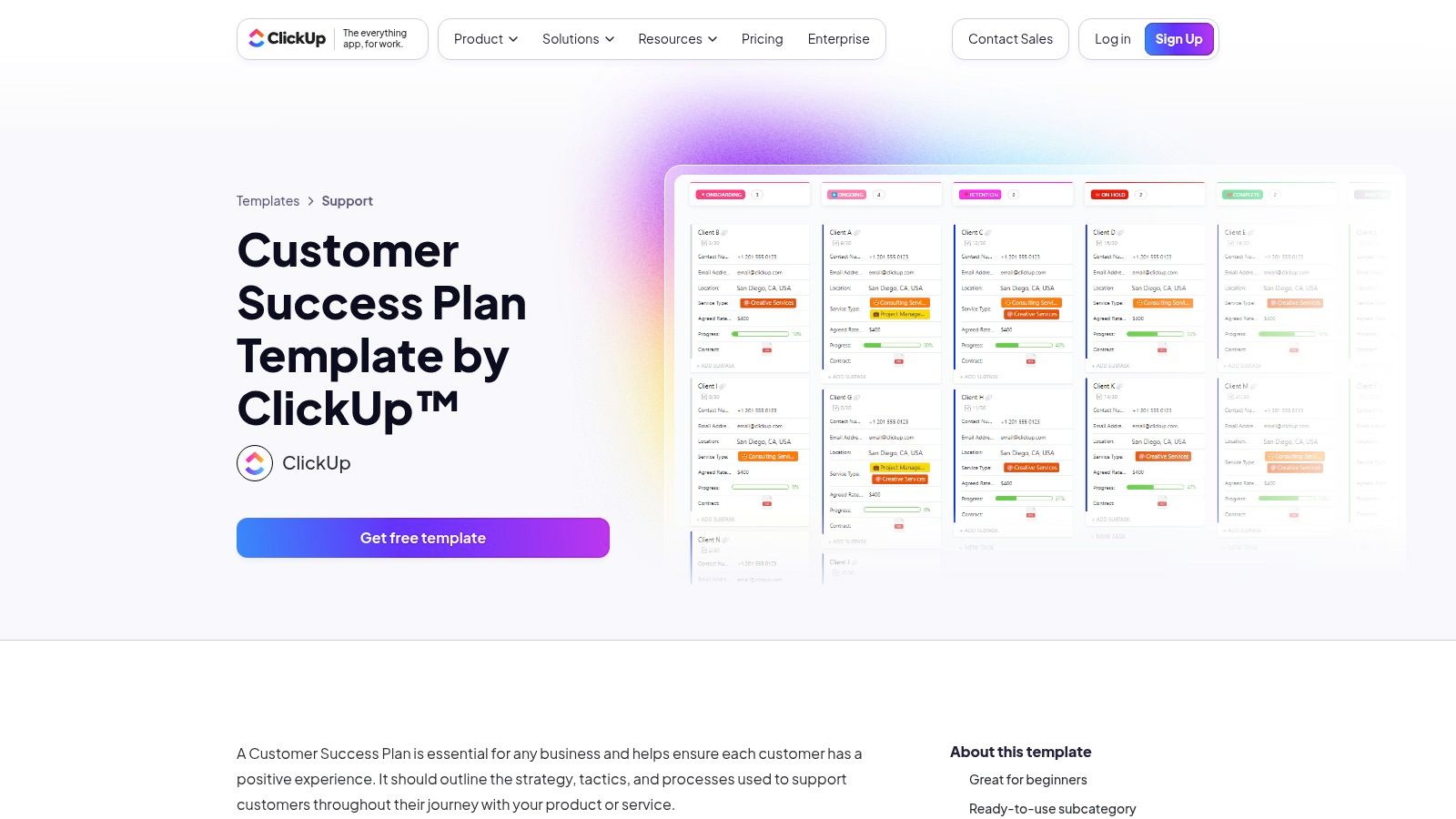
This template is ideal for teams that need to manage customer success as an ongoing project with clear tasks, owners, and timelines. It includes over 15 custom fields for tracking key data points like contract value and account stage, along with multiple views to visualize onboarding progress, customer health, and overall timelines. For subscription businesses, this provides a single source of truth for managing the entire customer journey. A deeper understanding of this process can be gained by exploring effective customer lifecycle management strategies.
Key Features & Use Case
- Pros: The template is accessible on ClickUp's free plan. Its deep integration with tasks, goals, and automations makes it highly actionable, fostering collaboration between CS, Sales, and Support teams.
- Cons: Adopting the template means adopting the ClickUp ecosystem, which might feel heavyweight for small teams or those already committed to another project management tool.
- Best For: Teams that want to actively manage success plans with cross-functional visibility and accountability.
Access the Template: ClickUp Customer Success Plan Template
2. Miro
Miro provides a highly visual and collaborative approach to customer success planning, shifting the focus from internal documents to a shared, interactive workspace. Its offering is a flexible board template designed for real-time alignment, making your customer success plan template a dynamic tool for mutual goal-setting and strategy sessions with clients.
This template excels in workshop environments, such as during onboarding or Quarterly Business Reviews (QBRs), where CSMs and customers can co-create the plan live. The board includes a ready-made table structure for outlining goals, milestones, owners, and health status. Because it's a visual canvas, teams can easily connect the plan to other strategic elements like timelines, mind maps, or data dashboards, creating a comprehensive overview of the account relationship.
Key Features & Use Case
- Pros: The visual and real-time collaborative nature makes it perfect for workshopping plans live with customers, ensuring strong stakeholder alignment. The board is simple to duplicate and standardize across all accounts.
- Cons: It lacks the native task management and automation capabilities found in dedicated project management tools. Sharing and collaborating might have a slight learning curve for customers unfamiliar with Miro.
- Best For: Teams that prioritize creating mutual success plans collaboratively with their customers and need a flexible, visual tool for strategic account meetings.
Access the Template: Miro Customer Success Plan Template
3. Gainsight
Gainsight elevates success planning from a simple document to a core operational function within an enterprise-grade Customer Success Platform. Rather than offering a downloadable file, it provides robust, integrated customer success plan templates that trigger playbooks and CTAs based on lifecycle stages and health scores. This transforms the plan into an actionable, data-driven framework for managing large-scale customer relationships.
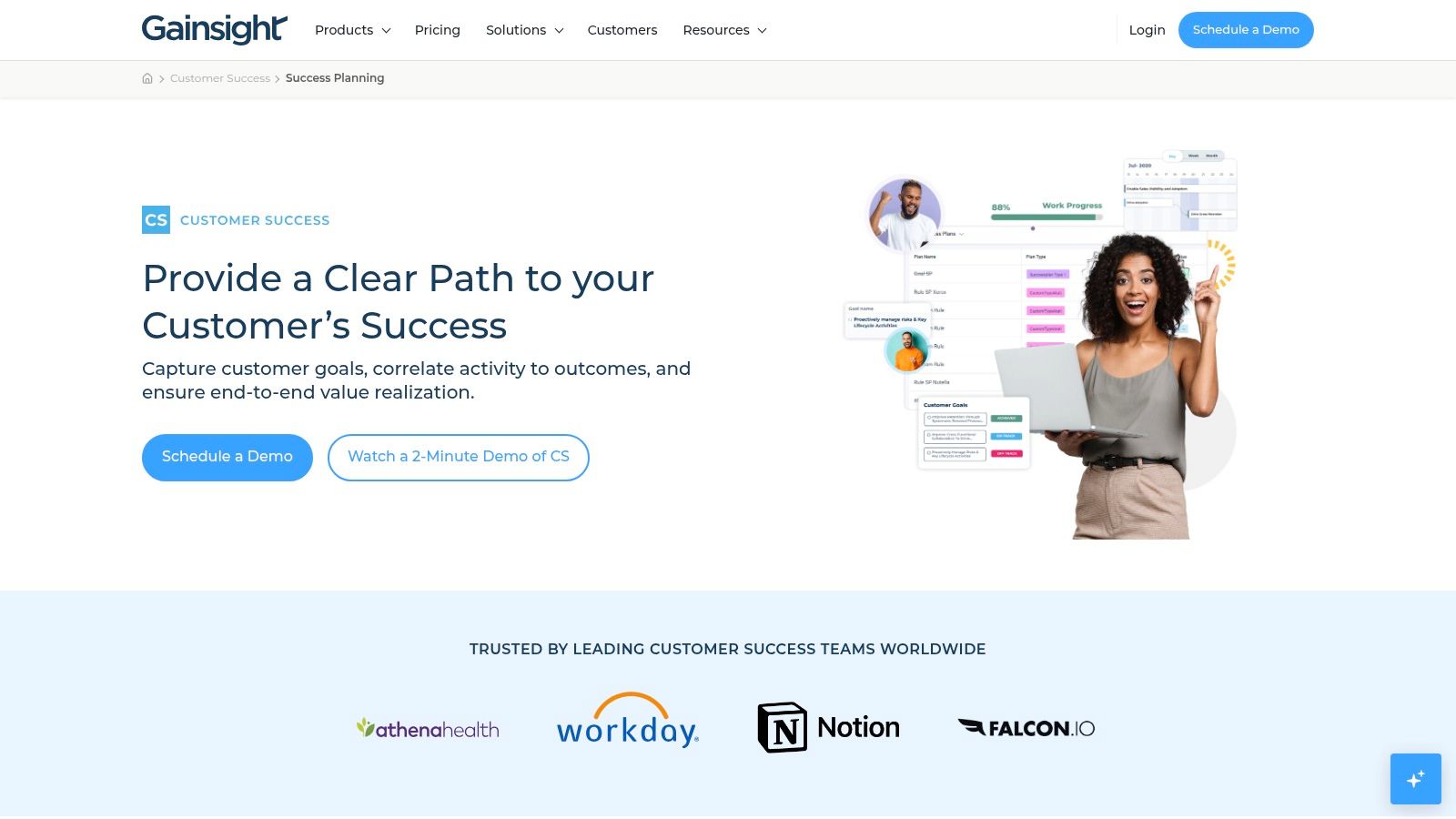
This platform is engineered for mature CS organizations that need to standardize their engagement model and report on outcomes at an executive level. Its templates, known as Success Plans, are tied directly to customer data, allowing for automated workflows and AI-guided next steps. This ensures that every action is aligned with customer goals, which is fundamental to retention. Understanding this alignment is key, as explored in guides on how to reduce customer churn.
Key Features & Use Case
- Pros: The functionality is purpose-built for scalable customer success, offering deep reporting and powerful "Success Snapshot" outputs perfect for business reviews and demonstrating value.
- Cons: Access requires a significant enterprise budget and a dedicated implementation process. The templates are only usable within the Gainsight ecosystem.
- Best For: Large, established CS teams needing a centralized, highly automated system to manage and report on complex customer success plans.
Access the Template: Gainsight Success Planning
4. Totango
Totango embeds customer success planning directly into its customer success platform, focusing on collaborative, outcome-driven engagement. Rather than a static download, Totango provides built-in Success Plans, which act as shared project spaces between your team and your customers. This transforms the customer success plan template into a dynamic tool for mutual accountability and transparency.
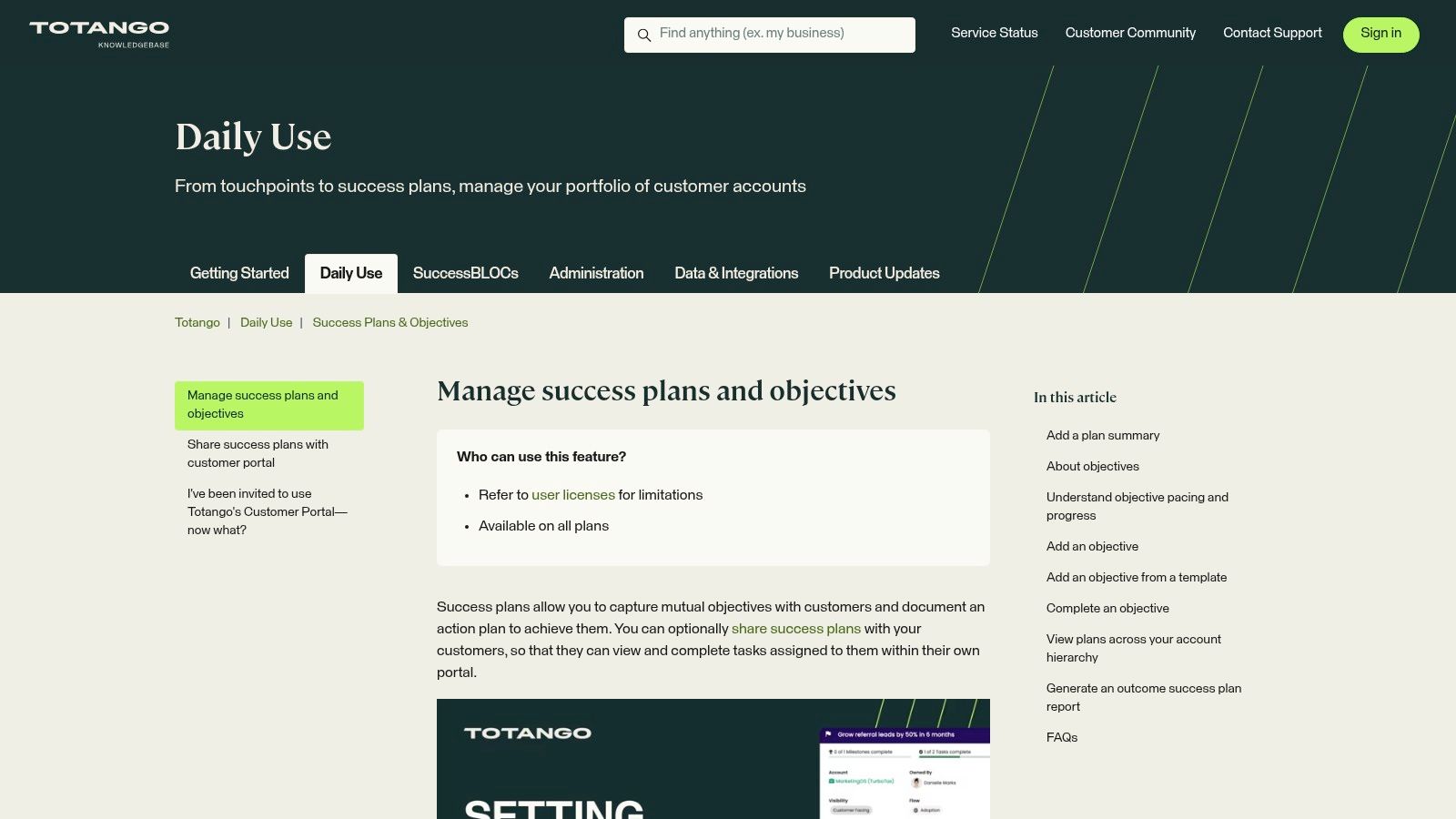
The platform is designed around standardizing key business outcomes using objective templates that can be applied across different customer segments. These plans are then shared via a customer-facing portal where both parties can track progress on milestones and tasks. This approach directly ties success planning activities to tangible results, which is a key component of maintaining a positive customer health score.
Key Features & Use Case
- Pros: The shared customer portal significantly reduces back-and-forth communication friction. Its focus on objective templates is excellent for scaling outcome-based customer success programs consistently.
- Cons: The full value is realized only when adopting the broader Totango ecosystem. Initial setup and advanced configuration for the templates may require dedicated administrator time.
- Best For: Mature CS teams committed to a fully integrated, outcome-driven success methodology that prioritizes customer collaboration.
Access the Template: Totango Success Plans
5. Coda
Coda reimagines the success plan as a flexible, collaborative document-database hybrid. Rather than a static file, its free template provides a modular, interactive workspace you can copy and customize for each client. This approach transforms a standard customer success plan template into a living mutual success plan, perfect for ongoing collaboration and tracking.
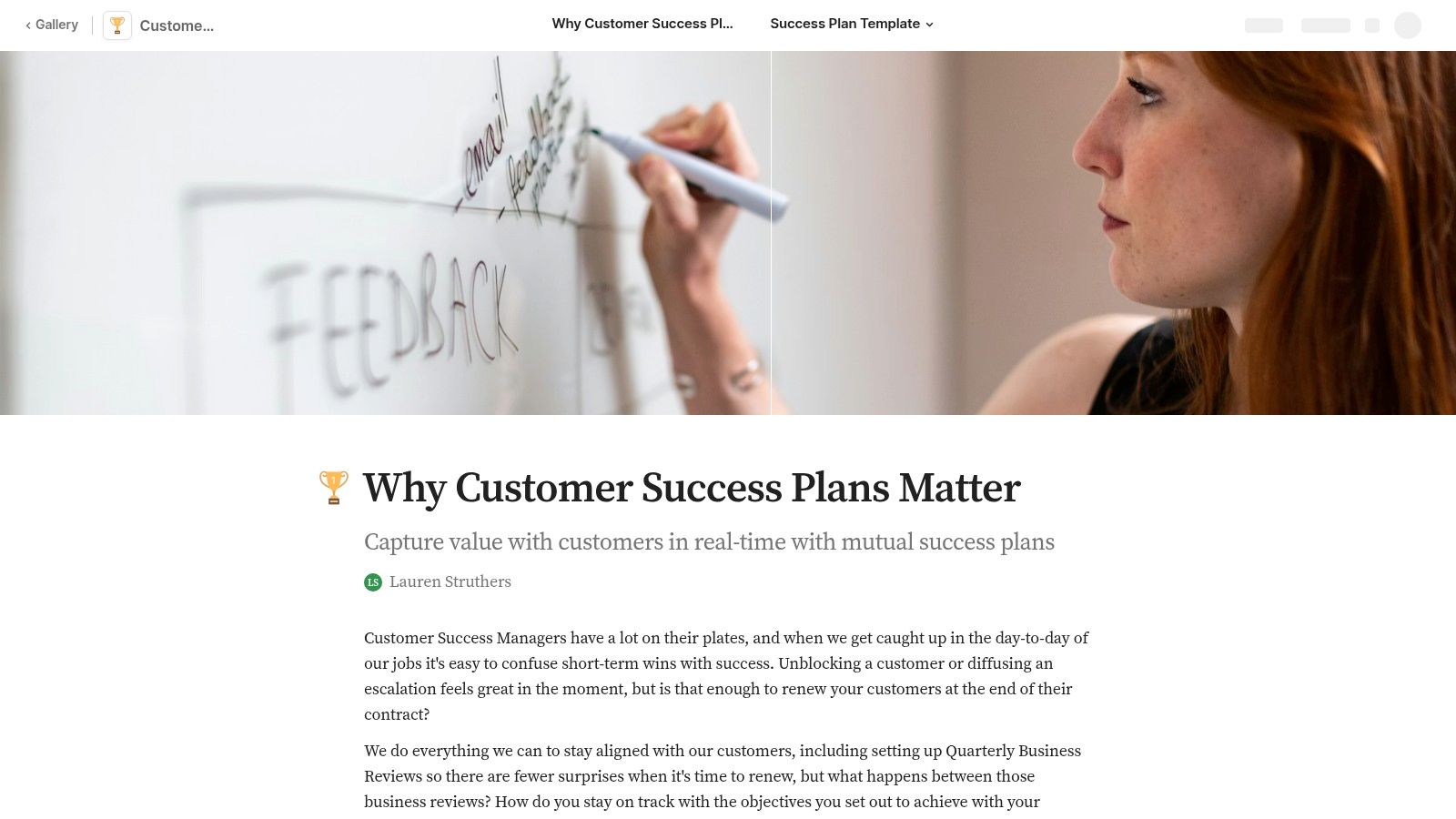
The template is built with interconnected pages for objectives, milestones, meeting notes, action items, and even feature requests. Its strength lies in its adaptability; you can use "Packs" to integrate tools like Google Calendar or Gmail for automated reminders and updates directly within the document. This makes it a powerful hub for managing customer relationships without the complexity of a full-scale CS platform, offering a single source of truth for both the CSM and the customer.
Key Features & Use Case
- Pros: Highly flexible and collaborative, serving as an excellent tool for QBR preparation and continuous account tracking. There is no vendor lock-in to a heavyweight CS platform.
- Cons: Scaling this approach requires strong workspace organization to manage many accounts effectively. It lacks the built-in, automated health scoring found in dedicated CS software.
- Best For: Teams that want a lightweight, highly customizable, and collaborative document to build mutual success plans directly with their customers.
Access the Template: Coda Customer Success Plan Template
6. Dock
Dock provides a customer-facing workspace approach to success planning, shifting the focus to co-creation and transparency. Rather than a static internal document, its template creates a shared digital hub where you and your customer can collaboratively define goals, track milestones, and monitor progress. This turns the customer success plan template into a dynamic, mutual action plan.
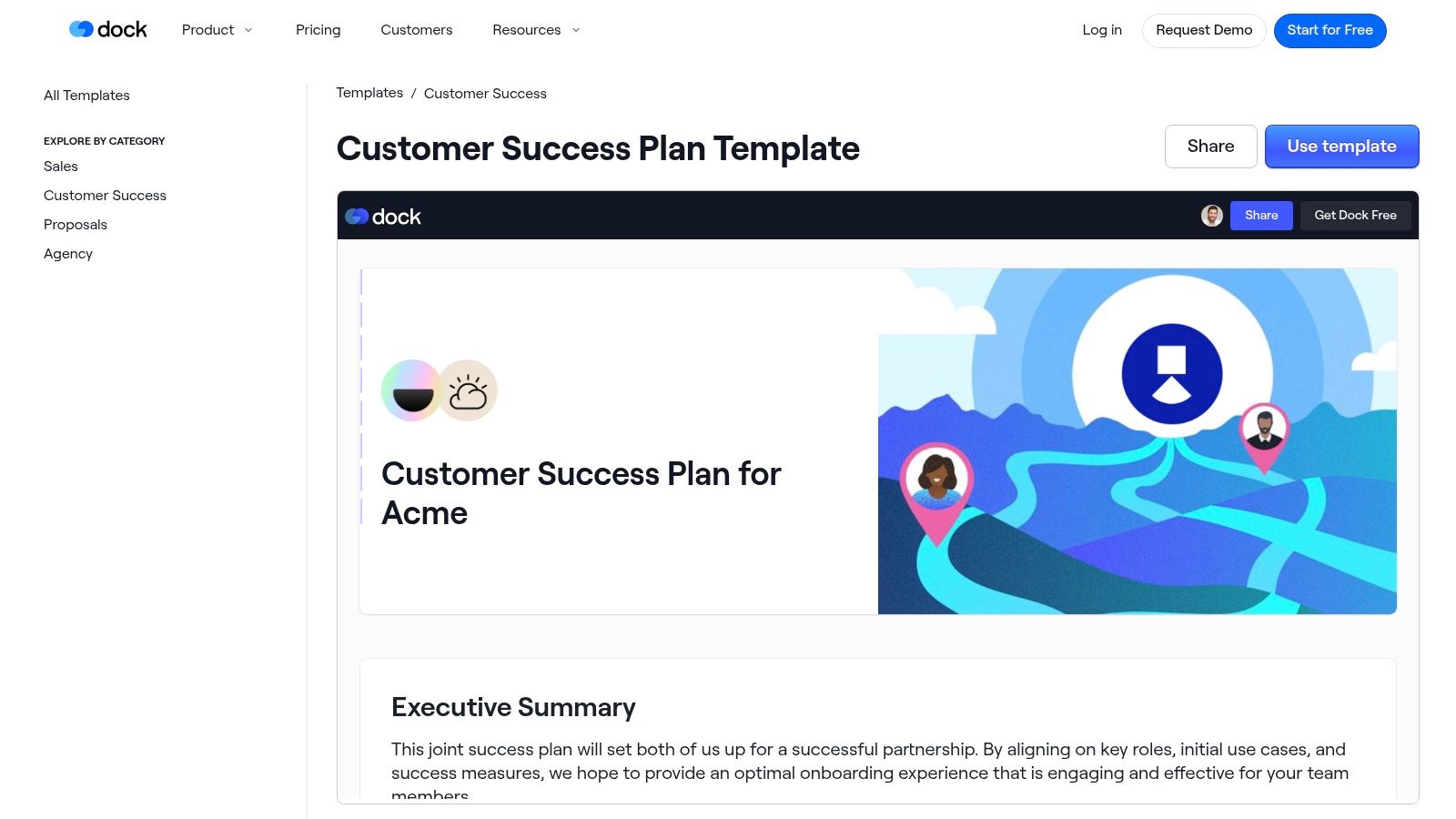
This template is uniquely suited for B2B SaaS companies focused on a high-touch onboarding and implementation experience. It includes sections for executive summaries, stakeholder alignment, and key objectives, ensuring both parties are on the same page from day one. A standout feature is its engagement tracking, which shows you exactly how and when customers interact with the plan, providing valuable insights into their level of commitment and areas of focus.
Key Features & Use Case
- Pros: The customer-facing nature fosters exceptional transparency and a strong buyer experience. Workspaces are easy to templatize and reuse, and Dock integrates well with popular CRMs.
- Cons: It introduces another tool into your tech stack, which may be redundant for teams already using a comprehensive CS platform. Some advanced features require a paid plan.
- Best For: High-touch customer success teams that want to build collaborative, transparent relationships with clients during onboarding and beyond.
Access the Template: Dock Customer Success Plan Template
7. Lark
Lark provides a free and integrated approach with its database-style customer success plan template built within Lark Base. This tool is designed for teams that already use the Lark ecosystem for communication and collaboration, allowing them to track customer onboarding, health, goals, and key interactions in a single, connected workspace. It transforms the success plan from a static document into a dynamic, filterable database.
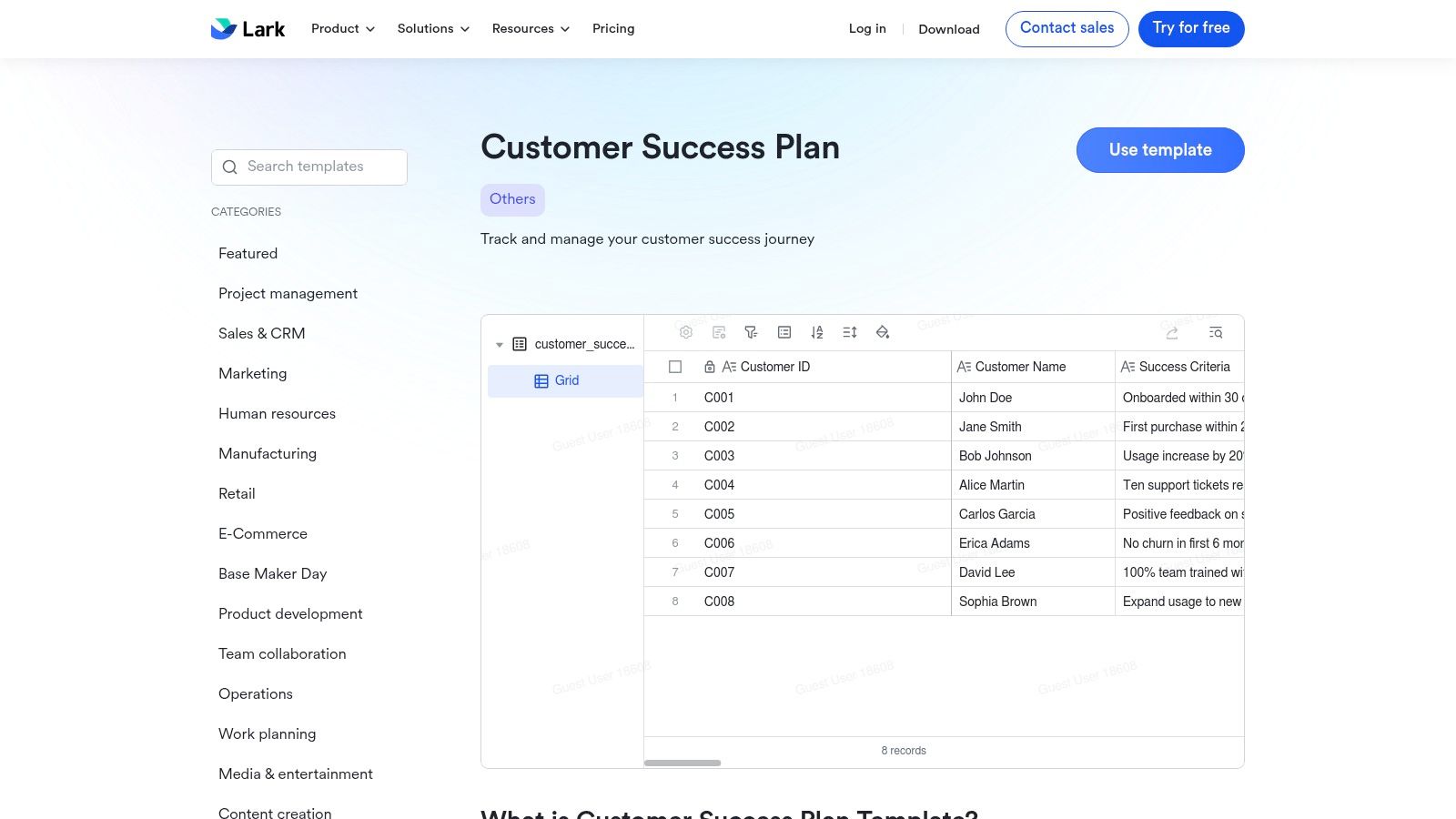
The template is structured with pre-defined fields for tracking goals, health scores, and check-in notes, making it easy to get started quickly. Its database format is a key differentiator, enabling CSMs to easily sort and filter accounts by health, stage, or last contact date. This is particularly useful for SMBs and startups that prefer an all-in-one suite to manage internal collaboration and customer-facing activities without switching between multiple applications.
Key Features & Use Case
- Pros: The template is free and deeply integrated with Lark's chat and docs, creating a unified workflow. Its database style simplifies filtering and tracking multiple accounts, making it a good fit for SMBs.
- Cons: Lark is less common in some markets compared to other collaboration suites, which could be a hurdle for external collaboration. Advanced reporting or complex automation might require custom setup.
- Best For: Teams already invested in the Lark ecosystem who need a simple, integrated, and free tool to manage their customer success plans.
Access the Template: Lark Customer Success Plan Template
8. TimeCamp Planner
TimeCamp Planner provides a flexible and accessible customer success plan template for teams seeking a straightforward, lightweight solution. Instead of locking you into a complex system, it offers a choice: use the plan within their intuitive Planner tool or open it directly in Google Sheets. This dual-access approach makes it perfect for documenting key customer information without a steep learning curve.
The template includes clear prompts for essential metrics, journey mapping, and Quarterly Business Review (QBR) preparation, giving you a solid framework to start with. It's designed to be a simple artifact that can stand alone or work alongside TimeCamp's core time-tracking software. This makes it an excellent choice for teams that want to standardize their success planning process before committing to a more integrated customer success platform.
Key Features & Use Case
- Pros: Offering a Google Sheets option drastically lowers the barrier to adoption, making it free and instantly familiar. The template is simple, easy to customize, and ideal for running a pilot program.
- Cons: As a standalone document or simple planner, it lacks the automation, advanced reporting, and integrated health scoring found in dedicated CS software. Collaboration relies entirely on the host platform's (Planner or Google) capabilities.
- Best For: Small CS teams, startups, or anyone needing a no-cost, low-commitment way to create and share standardized success plans.
Access the Template: TimeCamp Planner Customer Success Plan Template
9. Asana
Asana approaches customer success by providing a suite of project-based templates that can be combined to create a comprehensive and actionable plan. Rather than a single static document, it offers templates for key CS stages like post-sales handoffs and customer feedback, turning your customer success plan template into a dynamic workflow within its task-driven platform.
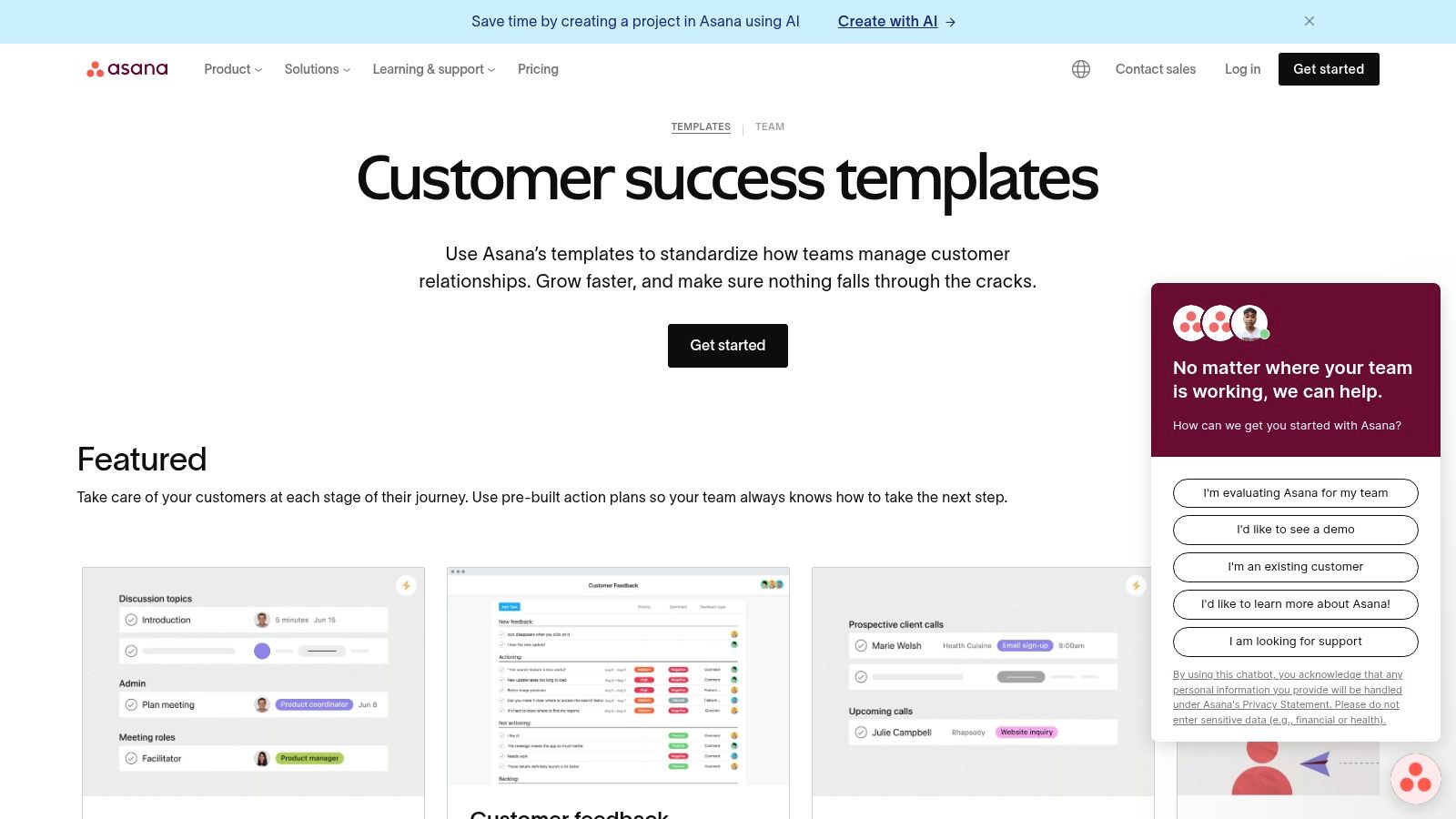
This modular approach is perfect for teams that manage customer success through distinct, project-like phases. By linking templates for onboarding, QBRs, and renewals, you can build a complete customer journey with clear owners, dependencies, and deadlines. Asana's strength lies in transforming strategic goals into a series of trackable tasks, ensuring accountability from kickoff to renewal. This makes it easy for cross-functional teams to see progress and identify blockers in real-time.
Key Features & Use Case
- Pros: The familiar task-based interface and strong collaboration features make it easy to adopt. Templates are highly customizable to fit your specific customer lifecycle, and dashboards provide excellent visibility into team workload and project status.
- Cons: It's not a dedicated customer success platform, so it lacks native health scoring or churn prediction features. Significant setup is required to configure the templates to function as a cohesive, mutual success plan.
- Best For: Teams already using Asana for project management who want to operationalize their customer success processes and improve cross-departmental collaboration.
Access the Template: Asana Customer Success Templates
10. Notion (Notion Marketplace / Templates)
Notion offers a uniquely flexible and database-driven environment for building a customer success plan template. Instead of a static document, templates from the Notion marketplace, like the popular Customer Success OS, provide a complete, interconnected workspace. This approach merges documentation, databases, and project management into a single, customizable system.
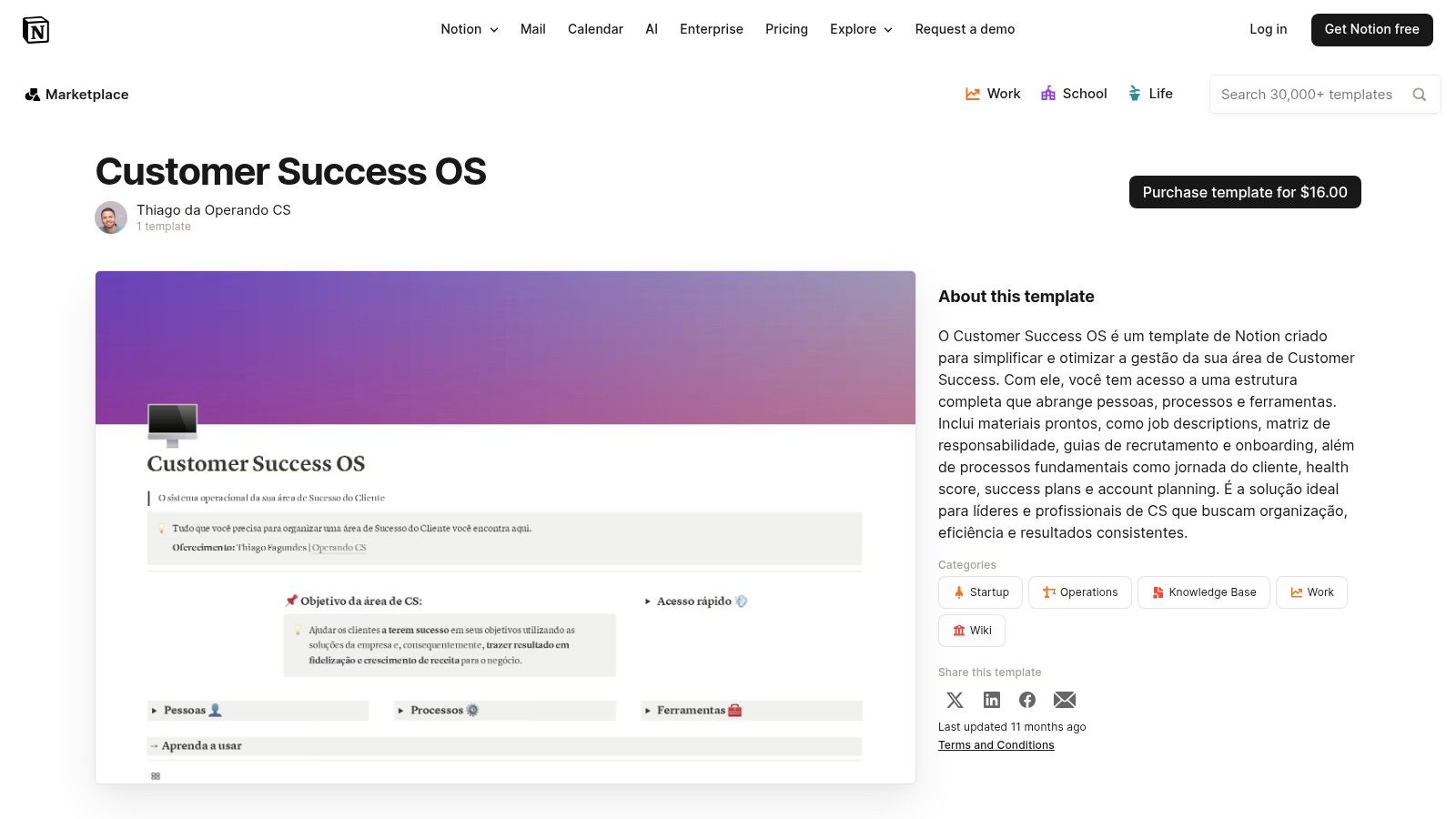
This setup is perfect for teams that want to create a central hub for all customer-related information, from objectives and health notes to QBR content and renewal tracking. By leveraging relational databases, you can link customers to contacts, meetings, and tasks, creating a comprehensive view of each account. The ability to easily duplicate and customize a master template for each new customer makes scaling your success operations straightforward and consistent.
Key Features & Use Case
- Pros: Highly flexible and often free or low-cost to start. The thriving community ecosystem provides a vast library of templates and resources, making it great for both documentation and active planning.
- Cons: Requires a degree of Notion proficiency to customize and scale effectively. Core analytics capabilities are limited without integrating third-party tools or add-ons.
- Best For: Teams that value documentation-rich planning and desire a highly customizable, all-in-one workspace for managing customer relationships.
Access the Template: Notion Customer Success OS Template
11. Prototion
Prototion offers a turnkey solution for customer success professionals who use Notion as their primary workspace. Instead of a simple document, it provides a comprehensive CSM Dashboard, a paid Notion template designed to centralize all customer success activities. This approach transforms a standard customer success plan template into an interactive and integrated dashboard for managing accounts, tasks, and performance metrics within a familiar environment.
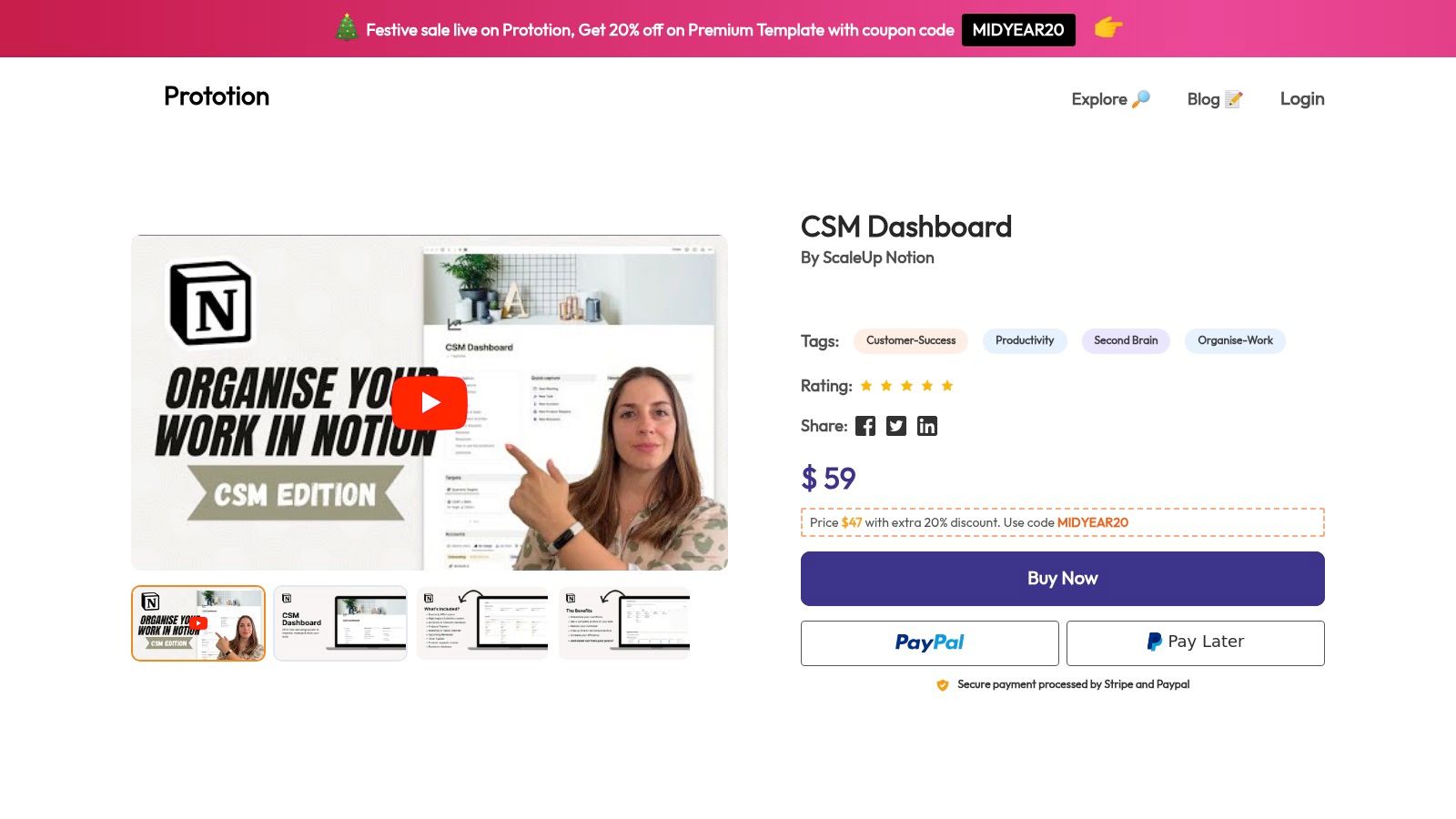
The template is structured specifically for CSM workflows, including dedicated sections for account overviews, meeting notes, project tracking, and key contact management. It's a one-time purchase, making it an affordable alternative to dedicated CS software for individuals or small teams heavily invested in the Notion ecosystem. By buying a pre-built workspace, teams can skip the steep learning curve and time investment required to build a similar system from scratch, allowing them to focus immediately on customer engagement and strategy execution.
Key Features & Use Case
- Pros: It's an affordable one-time purchase that saves significant setup time. The template is Notion-native, making it easy to duplicate for each new customer account and customize as needed.
- Cons: It lacks the native automation and automated health scoring capabilities of dedicated CS platforms. The quality and future updates are entirely dependent on the third-party creator.
- Best For: Individual CSMs or small teams already using Notion who need a structured, pre-built dashboard to manage their portfolio without adopting new software.
Access the Template: Prototion CSM Dashboard for Notion
12. monday.com
Similar to ClickUp, monday.com offers a highly visual and operational framework for customer success management within its Work OS platform. While its marketplace offers a specific "Event Planning Customer Success" template, its structure serves as an excellent blueprint for a general customer success plan template. It provides a CRM-style setup that CS teams can easily adapt for their needs.
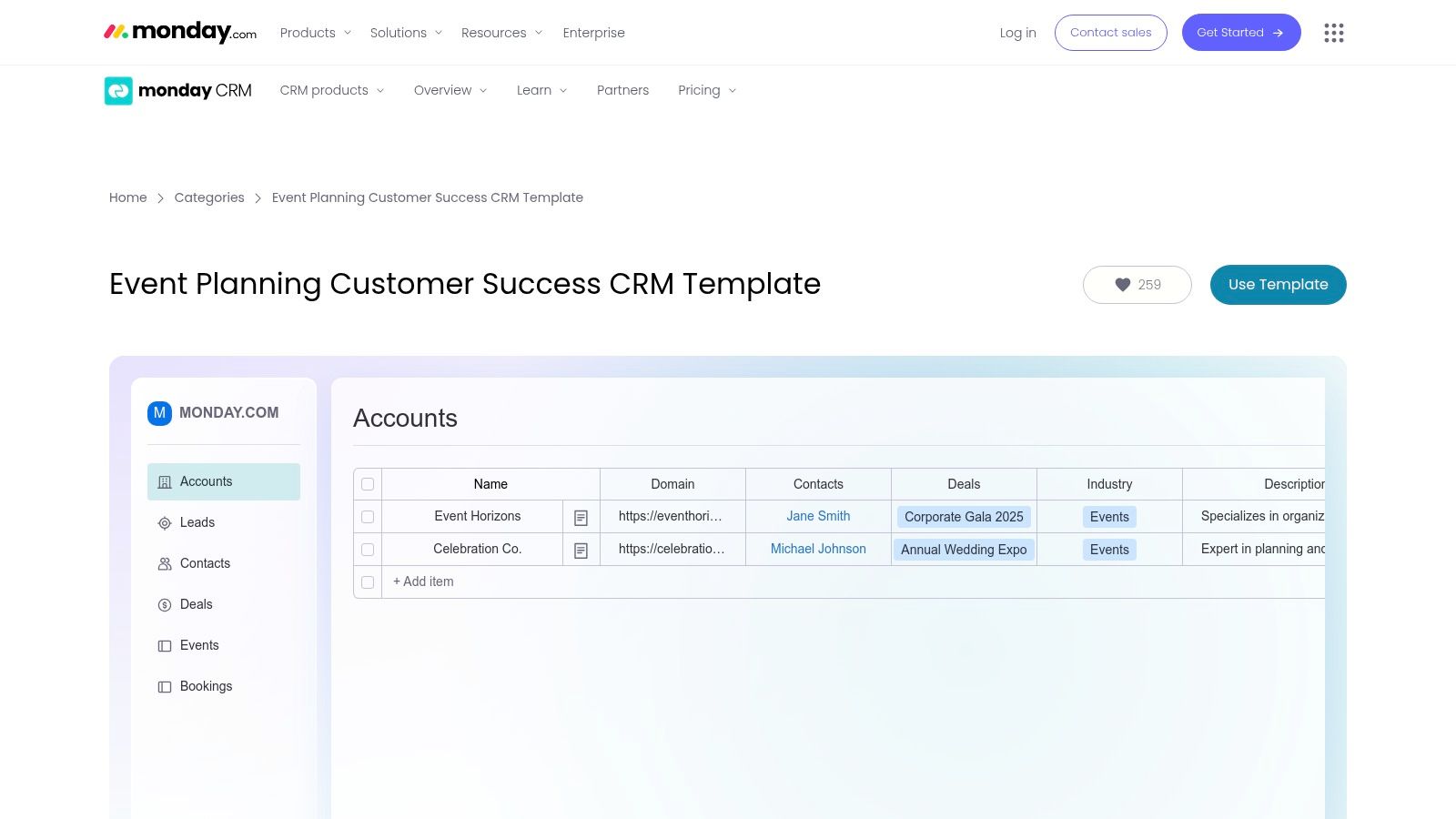
The template is built around interconnected boards for tracking accounts, monitoring renewals, and flagging at-risk customers. This structure allows teams to visualize the entire customer lifecycle and use powerful automations to trigger tasks based on specific events, like a low health score or an upcoming renewal date. Its strength lies in the highly customizable dashboards that can pull data from multiple boards to display customer satisfaction, key trends, and team performance in one place.
Key Features & Use Case
- Pros: The template provides a quick start for teams already using monday.com. Its strong visual dashboards and powerful automations make it easy to manage accounts and templatize processes.
- Cons: The official template is niche and requires customization for non-event-based SaaS businesses. A paid monday.com subscription is necessary to access its full functionality.
- Best For: Visually-driven CS teams who are already embedded in the monday.com ecosystem and want a central hub for account management and reporting.
Access the Template: monday.com Customer Success CRM Template
Customer Success Plan Templates: 12-Tool Comparison
| Tool | Core features | UX / Quality | Price & Value | Best for | Standout |
|---|---|---|---|---|---|
| ClickUp | List-based success plan, custom fields, views, automations | ★★★★☆ — robust PM UX | 💰 Free → paid tiers | 👥 CS teams needing workflows | ✨ Deep task/workflow ops |
| Miro | Visual table, goals & milestones, live collaboration | ★★★★☆ — excellent for workshops | 💰 Freemium | 👥 QBRs & stakeholder workshops | ✨ Real-time whiteboard planning |
| Gainsight | Success plans, CTAs, playbooks, exec snapshots | ★★★★★ — enterprise-grade | 💰 Enterprise-priced | 👥 Large CS orgs & execs | 🏆 Best-in-class reporting & scale |
| Totango | Objective templates, tasks, customer portal | ★★★★☆ — CS-focused UX | 💰 Paid (best with stack) | 👥 Outcome-based CS programs | ✨ Shareable customer portal |
| Coda | Modular doc-db, templates, Packs integrations | ★★★★☆ — flexible & collaborative | 💰 Free/low-cost | 👥 SMBs & QBR prep | ✨ Document + database flexibility |
| Dock | Customer-facing workspace, engagement tracking | ★★★★☆ — strong buyer UX | 💰 Freemium → paid features | 👥 Customer-facing teams | ✨ View engagement & co-create |
| Lark | Database-style plan, real-time collaboration | ★★★☆☆ — simple & integrated | 💰 Free to start | 👥 SMBs using Lark suite | ✨ Built-in chat/docs integration |
| TimeCamp Planner | Spreadsheet-style plan, Google Sheets export | ★★★☆☆ — lightweight | 💰 Free | 👥 Small teams / pilots | ✨ Low-friction, spreadsheet-first |
| Asana | Tasks, dependencies, automations, dashboards | ★★★★☆ — familiar task UI | 💰 Freemium → subscription | 👥 Teams needing task-driven plans | ✨ Strong automations & dashboards |
| Notion | Database-driven CS OS, views, community templates | ★★★★☆ — flexible doc UX | 💰 Freemium / low-cost | 👥 Documentation-focused CS teams | ✨ Large template ecosystem |
| Prototion | Turnkey Notion CSM dashboard (paid) | ★★★☆☆ — ready-made build | 💰 One-time purchase | 👥 CSMs wanting quick setup | ✨ Plug-and-play Notion dashboard |
| monday.com | Boards for renewals, visuals, automations | ★★★★☆ — visual & configurable | 💰 Subscription required | 👥 Teams on monday.com | ✨ Visual dashboards & automations |
Turn Your Template into a Retention Engine
Throughout this guide, we've explored a diverse collection of customer success plan templates, from flexible project management tools like Asana and monday.com to specialized customer success platforms like Gainsight and Totango. We’ve seen how Notion and Coda offer unparalleled customization, while visual tools like Miro facilitate collaborative brainstorming. Each of these resources provides a solid foundation for structuring your customer interactions and defining value.
However, selecting the right template is only the first step. The true catalyst for retention is transforming that static document into a dynamic, living strategy. A plan on its own is a roadmap; it outlines the intended journey. But it can't alert you to the roadblocks, detours, and engine trouble that inevitably arise along the way. Your goal is to move beyond simply documenting success milestones and start proactively managing customer health.
From Static Plan to Proactive Strategy
The most significant leap you can make is integrating your customer success plan with real-time data. A plan built on assumptions is fragile. A plan informed by actual user behavior and subscription signals becomes a powerful, predictive tool.
Consider these key takeaways when implementing your chosen template:
- Choose a template that matches your team's workflow. If your team lives in a project management tool, a Gainsight template might be too disruptive. Conversely, if you need deep CSM-specific analytics, a generic Notion template will fall short.
- Don't just fill it out, integrate it. Your plan should connect directly with your CRM, support desk, and, most importantly, your product usage and billing data. This creates a single source of truth for customer health.
- Make it actionable, not archival. The plan should drive daily and weekly activities for your customer success managers. It must be a tool they use, not a document they file away after the onboarding call.
Ultimately, the best customer success plan templates are the ones that evolve with your customers. For more hands-on tactics to keep customers happy and prevent them from leaving, this actionable guide to reducing churn offers practical strategies that complement a well-executed success plan. A template provides the structure, but a data-driven, proactive approach is what turns that structure into a genuine retention engine, safeguarding your MRR and fostering long-term loyalty.
Ready to connect your customer success plan to real-time churn signals? LowChurn integrates with Stripe and your product data to provide AI-powered health scores and predictive churn alerts, turning your template into a proactive retention machine. See which customers are at risk and why, so you can intervene before it's too late.